There are several reasons why the Dashboard balance may not correspond with the Cashbook balance. The most common causes are outlined below.
1. Opening Balance not captured correctly
2. Incorrect Cashbook Allocation
1. Opening Balance not captured correctly
The opening balance was not brought in during the cashbook creation, or it was not captured using an Opening/ Take-on Journal. For the Dashboard and cashbook to balance, the opening balance must be recorded in both places.
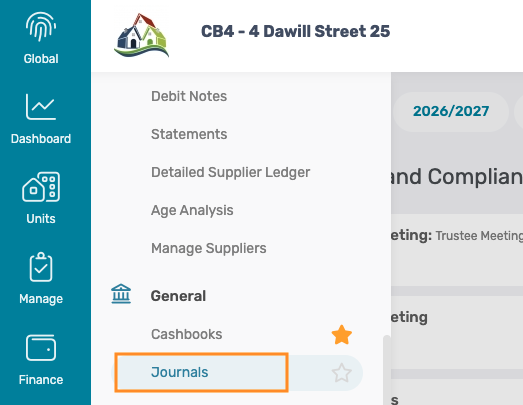
Step 1: Process the Opening/ Take-on Journal
Navigation: Finance > General - Journals
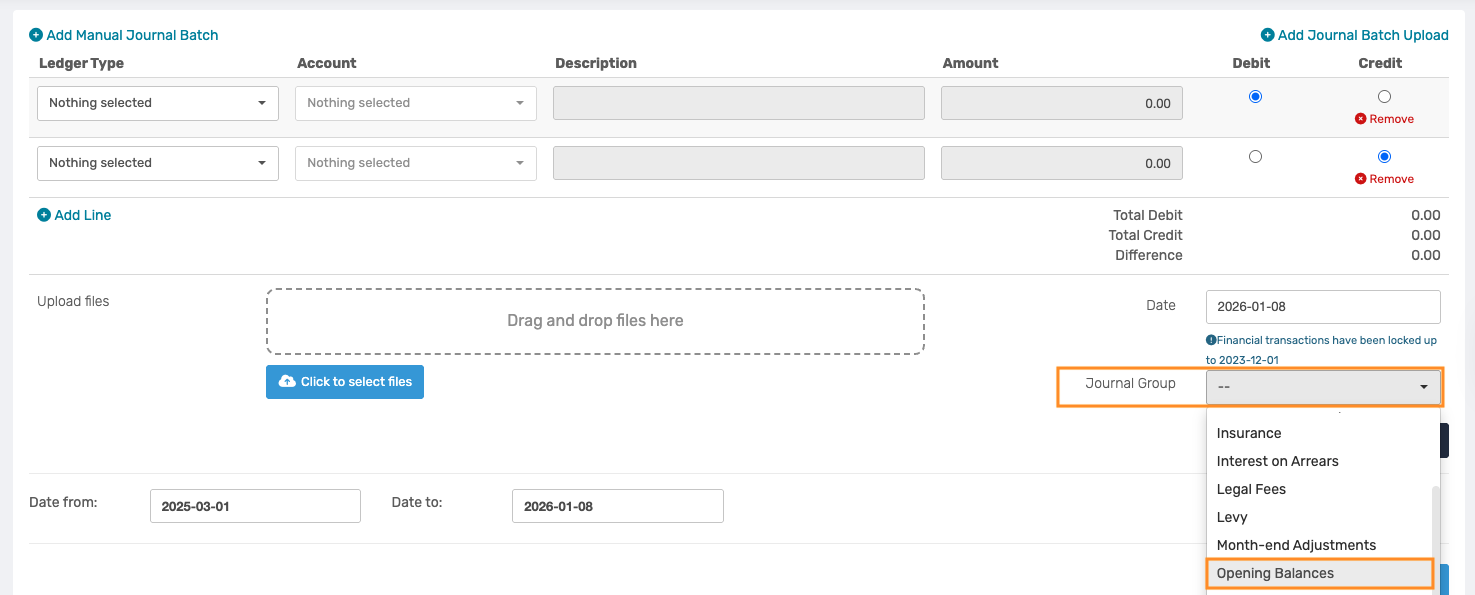
When creating the journal entry, select the Journal Group as Opening Balance. This selection is required in order to make the cashbook ledger accounts available for selection
Please refer to the relevant Support Article below for detailed steps on how to process a journal entry.
Step 2: Verify the Cashbook Opening balance
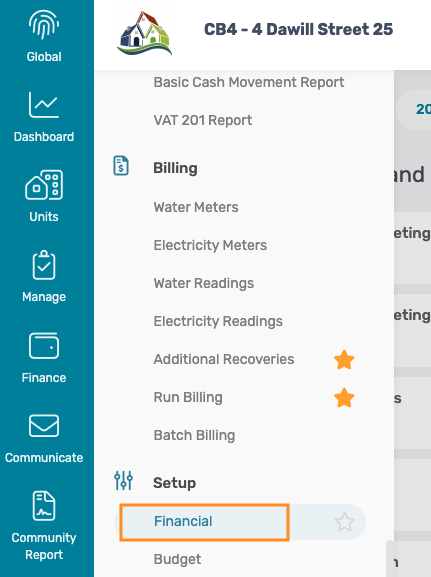
Navigation: Finance > Setup - Financial > Cashbook
If the opening balance was captured in the take-on journal but not entered during the cashbook creation, the cashbook must be updated to reflect the same opening balance.
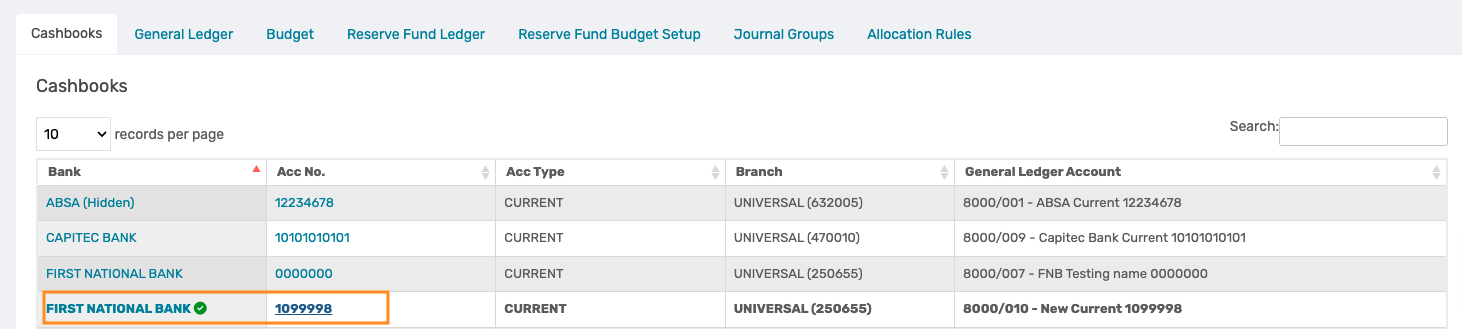
In the Cashbook tab, select the relevant cashbook.
Scroll down to the Opening balance field, and enter the correct opening balance.
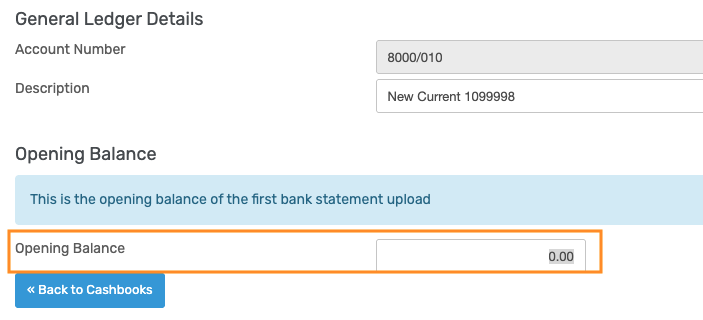
Important: The Opening balance recorded in the cashbook and the Opening/ Take-on journal must match exactly. Any discrepancy will result in the Dashboard and cashbook not balancing. |
2. Incorrect Cashbook Allocation
Navigation: Finance > General > Cashbook
The Solution allows for tracking the movement of funds that transfer from one bank account to another by allocating these transactions to either the Suspense or Inter-Account Transfer ledger. However, there are instances where transactions are made from one Cashbook directly to another Cashbook. This is, however, not allowed and will cause the Dashboard and cashbook to be out of balance.
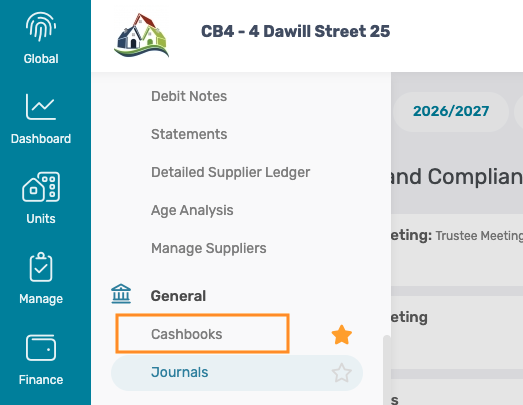
If this has occurred, the transaction must be corrected as follows:
Step 1: Cashbook Transaction captured in the first cashbook
Allocate the income amount in the first cashbook to the Suspense Account or an Inter-account transfer ledger.
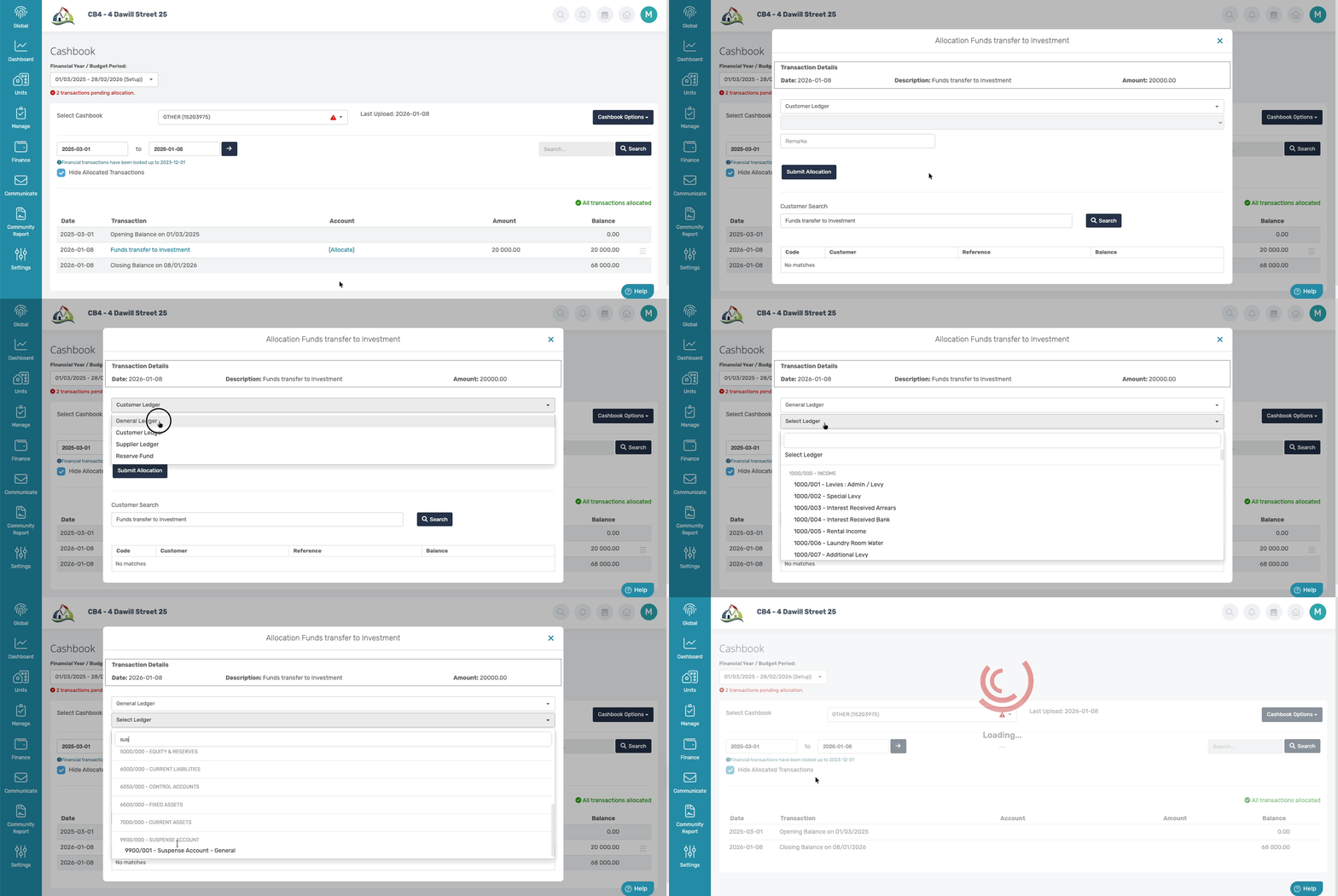
Step 2: Cashbook Transaction captured in the second cashbook
Allocate the expense amount in the second cashbook to the Suspense Account or an Inter-account transfer ledger.
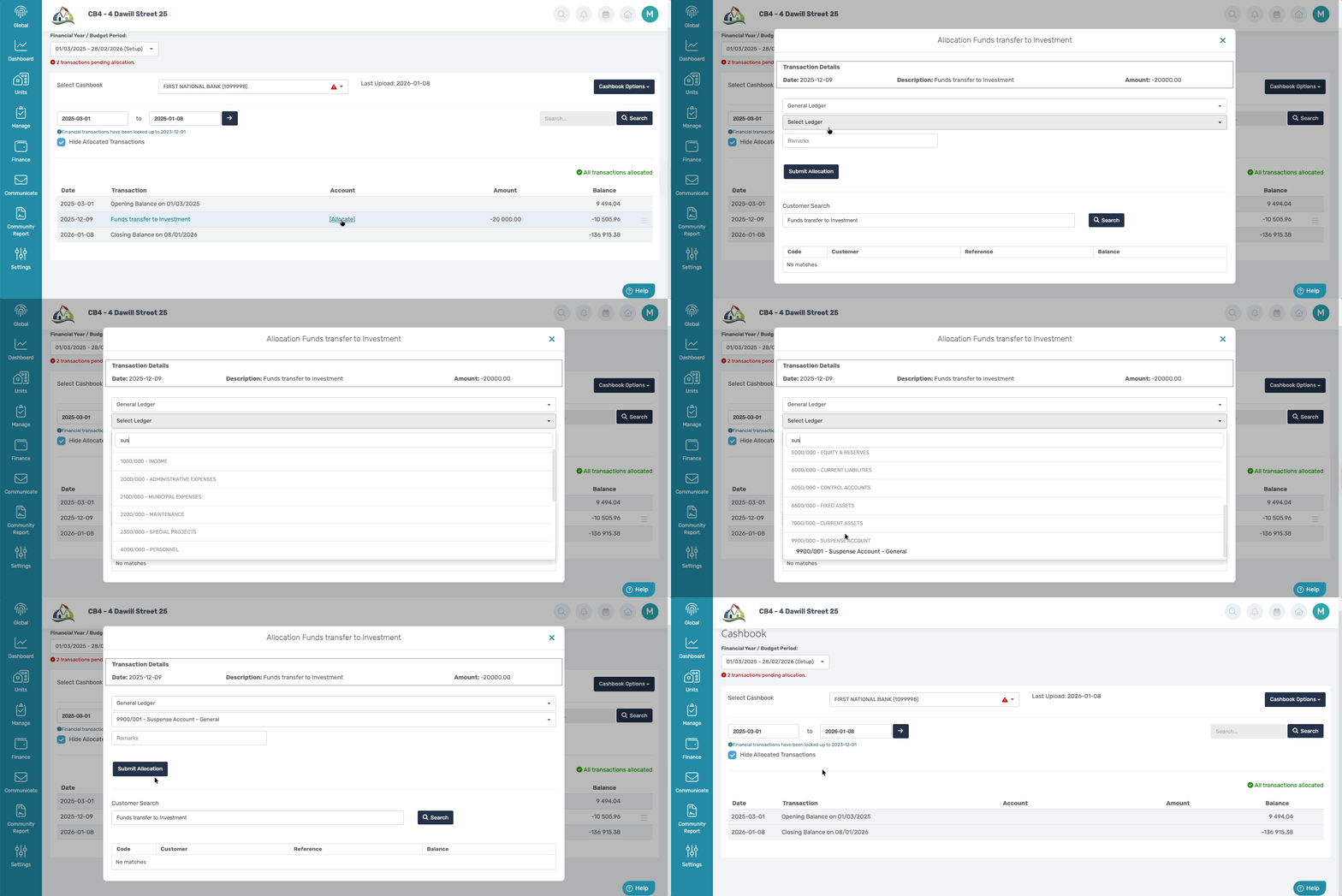
Now, the transaction correctly reflects the movement between cashbooks and clears the Suspense Account or Inter-Account Transfer Ledger.
Was this article helpful?
That’s Great!
Thank you for your feedback
Sorry! We couldn't be helpful
Thank you for your feedback
Feedback sent
We appreciate your effort and will try to fix the article