The Solution provides three methods for processing Petty Cash, allowing managing agents to choose the approach that best suits their operational requirements:
1. Cashbook
2. Supplier Invoice
3. Journal Entry
Each method is outlined below with guidance on when and how it should be used.
1. Cashbook
The Cashbook method is typically used for credit cards (where a statement is available) or for cash on hand.
Step 1: Create a Petty Cash Cashbook
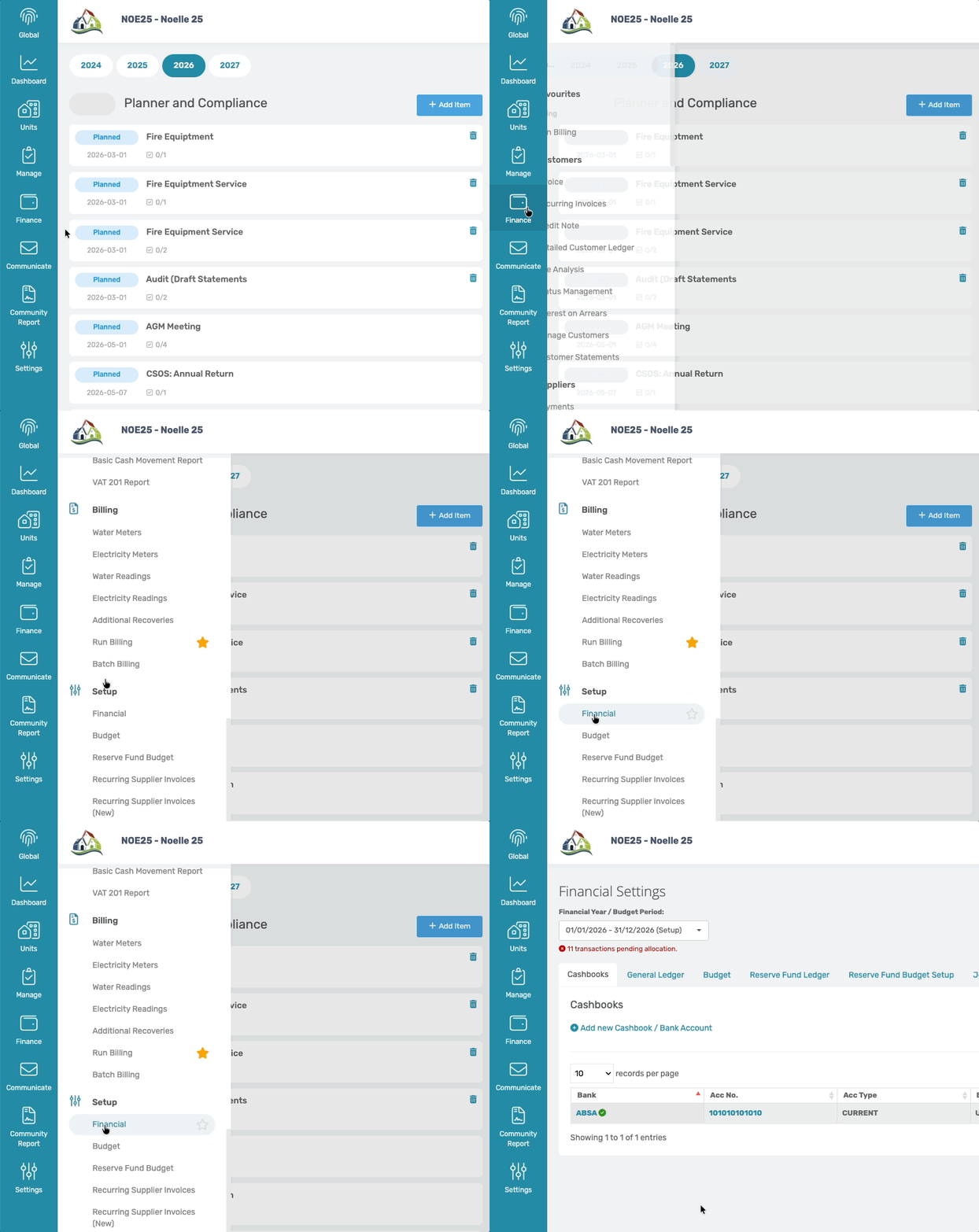
Navigation: Community Overview > Finance > Financial > Cashbook
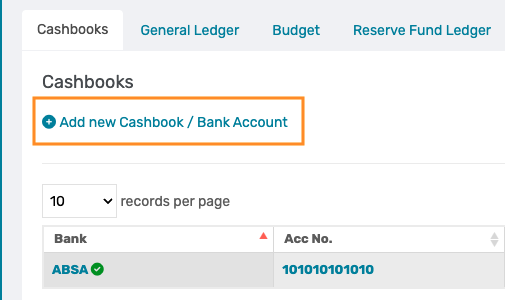
From the Cashbook tab, select Add New Cashbook / Bank Account.
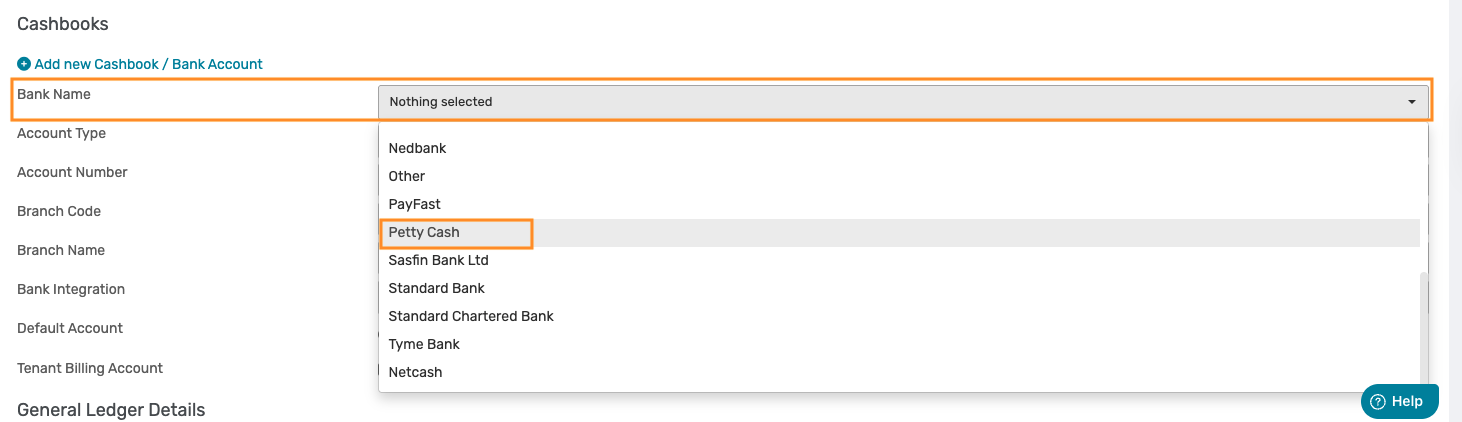
Choose Petty Cash from the Bank Name dropdown.
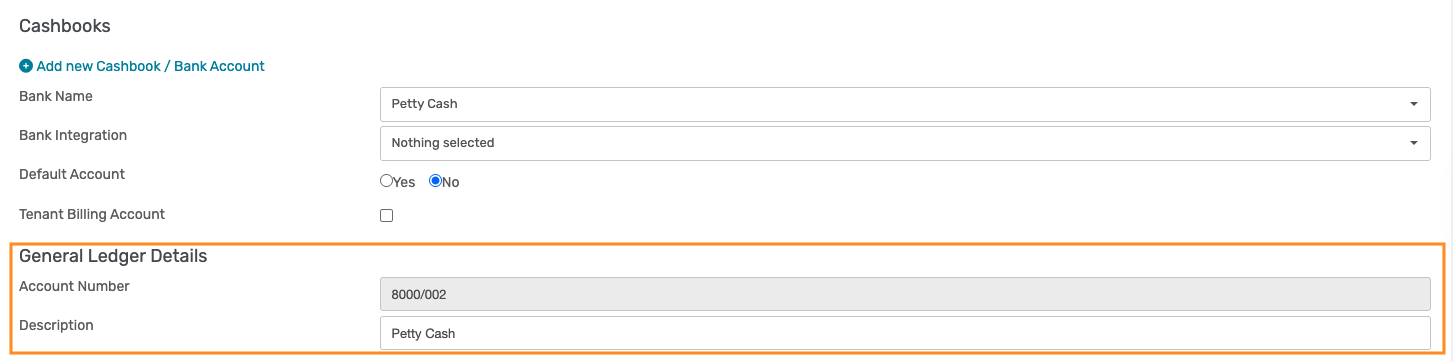
No bank details need to be captured. The Solution will automatically populate the applicable ledger details.
Step 2: Capture Transactions
Navigation: Community Overview > Finance > Cashbook
Method 1: Uploading a Credit Card Statement
Refer to the relevant Support Article for guidance on uploading a bank or credit card statement.
CMS - How To: Upload Transactions
Important: Ensure that the Petty Cash Cashbook is selected on the Cashbook page before uploading the statement.  |
Transactions can then be allocated to the appropriate expense ledger. CMS - How To: Allocate Transactions
Method 2: Cash on Hand
A Petty Cash Cashbook can be managed in the same manner as a bank cashbook, with the key difference being that it represents physical cash rather than a bank account.
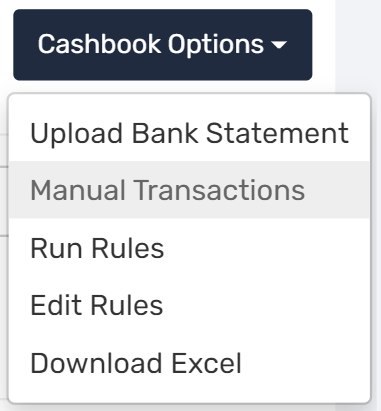
To manually capture the transactions, hover over Cashbook Options. Click on Manual Transactions.
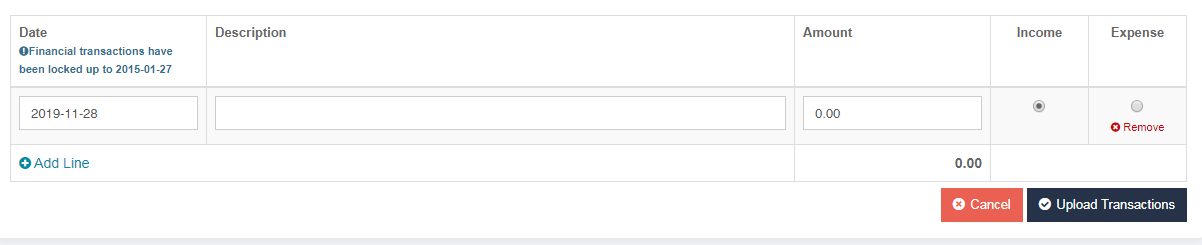
The following screen will appear. Manually select the date, description, and amount as well as whether the amount is an income or expense. Click on Add Line if more than one transaction needs to be captured. Once done, click on Upload Transactions to add these manual transactions to the cashbook.
The Opening Balance represents the amount of cash on hand.
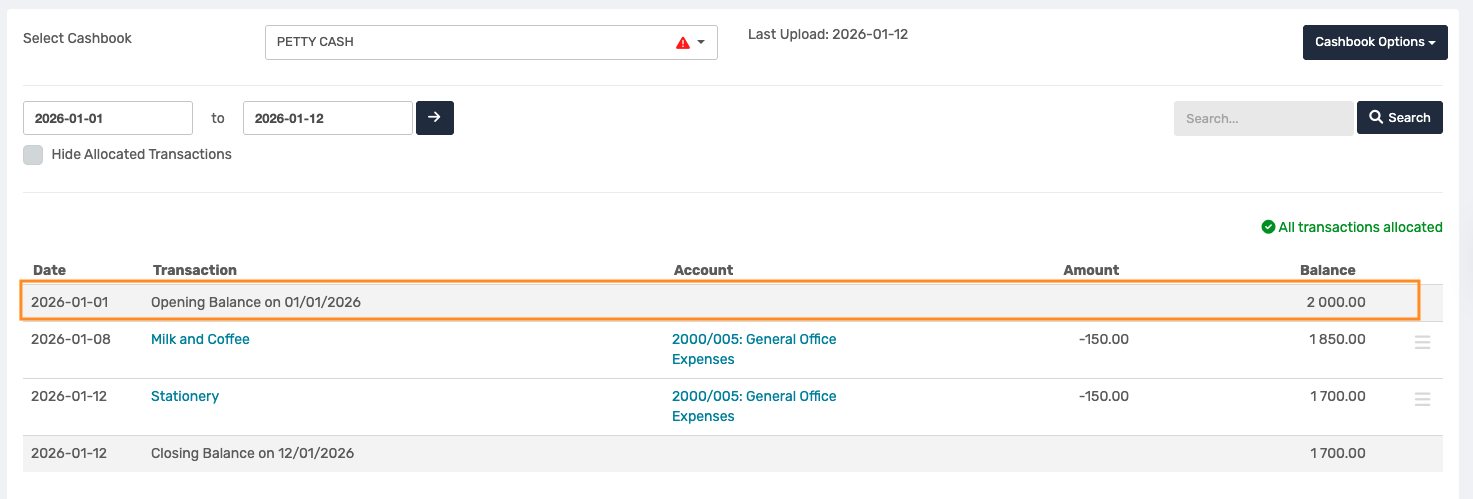
Petty Cash expenses are captured as payment transactions.

And reimbursements or top-ups are captured as receipt transactions.
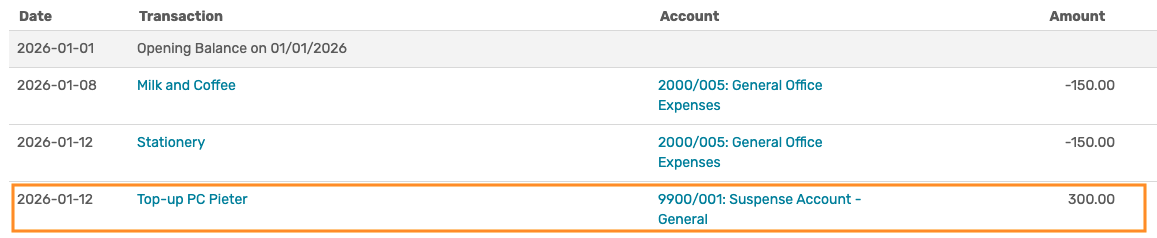
Inter-account Transfer (Top-up from the Current Account) When Petty Cash is replenished from the current account, an inter-account transfer must be performed: 1. Allocate the receipt transaction in the Petty Cash Cashbook to the Suspense Account or Inter-Account Transfer Ledgers. 2. Allocate the payment transaction in the Current Cashbook to the same Suspense Account or Inter-Account Transfer Ledger. This ensures the movement between cashbooks is accurately reflected, and the suspense or transfer ledger is cleared. |
2. Supplier Invoice
Petty Cash can also be processed by capturing expenses via Supplier Invoices. This method is commonly used when a trustee or estate manager pays for an expense personally and requires reimbursement.
Step 1: Create a Petty Cash Supplier
Navigation: Community Overview > Finance > Manage Suppliers

Create a supplier for the trustee or estate manager, or even a Petty Cash Supplier, as the petty cash holder.
Refer to the relevant Support Article for guidance on creating a supplier. CMS - How To: Create a Supplier
Step 2: Capture the Supplier Invoice
Capture the Supplier invoice manually by following the applicable Supplier Invoice Support Article. CMS - How To: Capture Customer Invoices
Note: - Select the Petty Cash Supplier on the Invoice. - Allocate the invoice lines to the relevant expense ledgers. 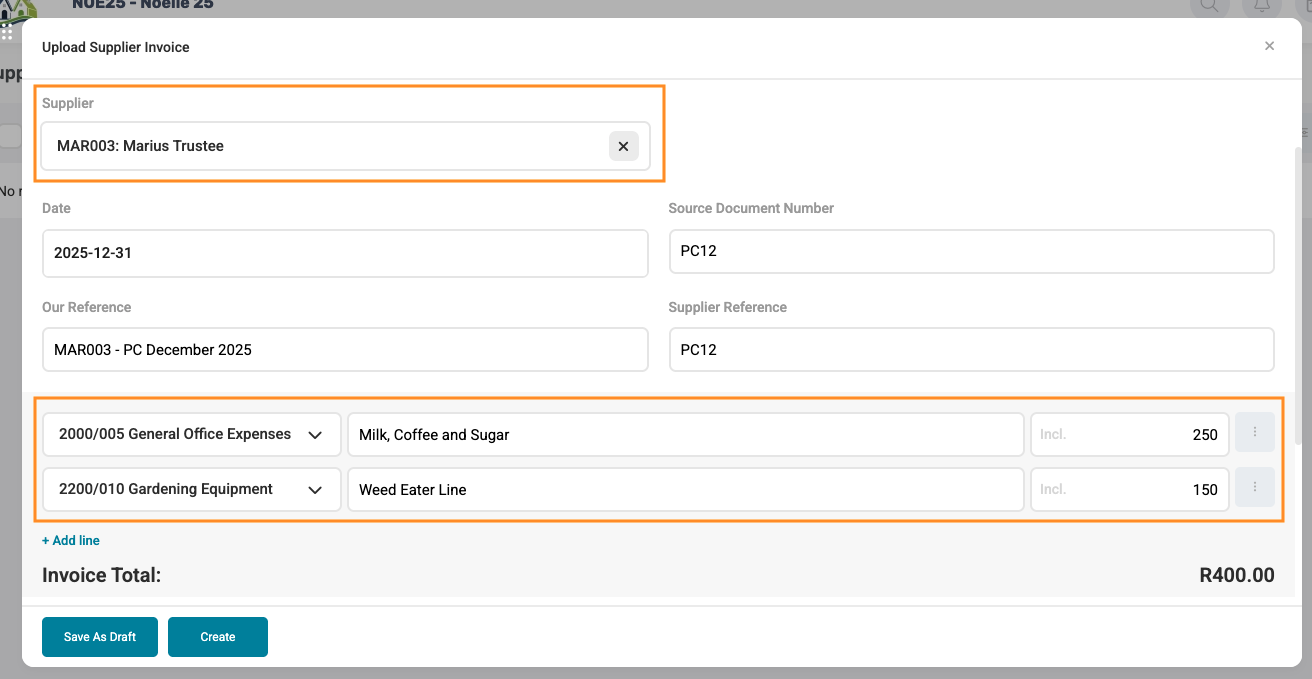 |
Once payment is made from the Cashbook, allocate the transaction to the Supplier Ledger to clear the balance.

3. Journal Entry
Journal entries are generally used for cash on hand, where supporting documentation, such as slips or receipts, is available.
Step 1: Create a Petty Cash Control Ledger
Navigation: Community Overview > Finance > Financial > General Ledger
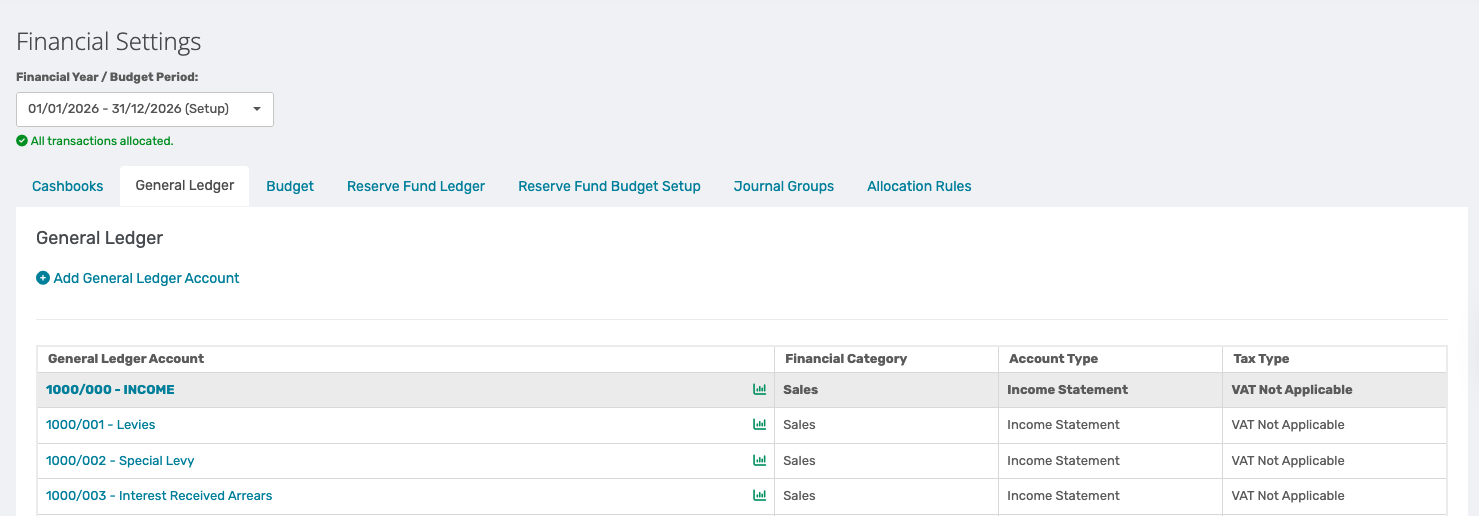
Create a Petty Cash Control Ledger.
Refer to the relevant Support Article for guidance on creating general ledger accounts.
Step 2: Process the Journal
Navigation: Community Overview > Finance > Journal
When capturing the journal:
Enter the journal date based on the month in which the petty cash expense occurred, as well as the Petty Cash journal group.
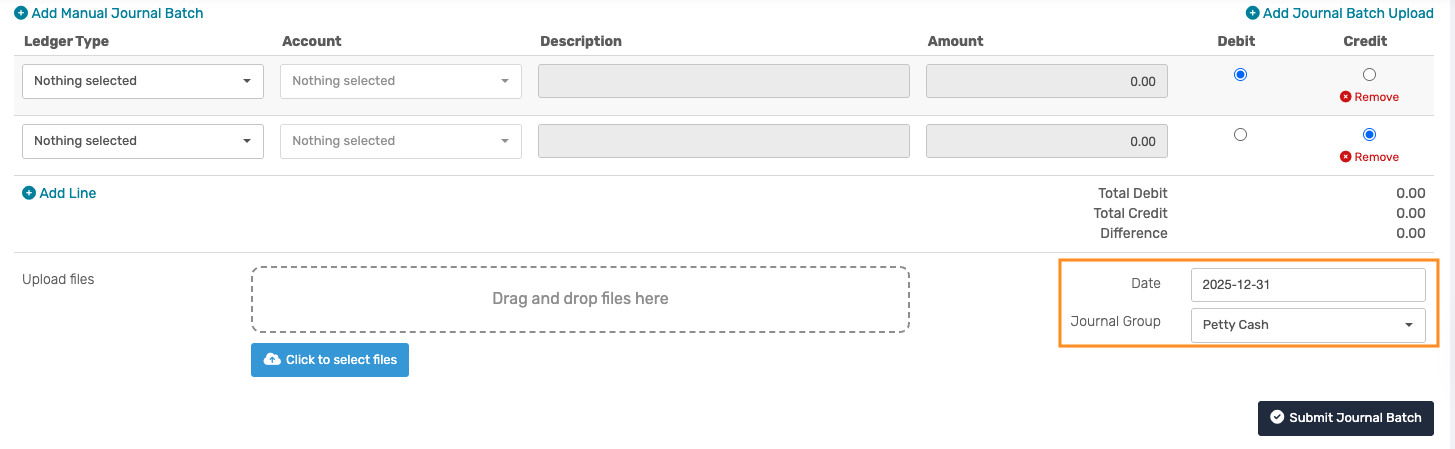
Capture the journal line entries as follows:
Debit the relevant expense ledger (e.g., Stationery, Maintenance).
Credit the Petty Cash Control Ledger.

Use a clear and descriptive reference (e.g., Petty Cash - Stationery).
Attach all supporting documentation, such as receipts or petty cash slips.
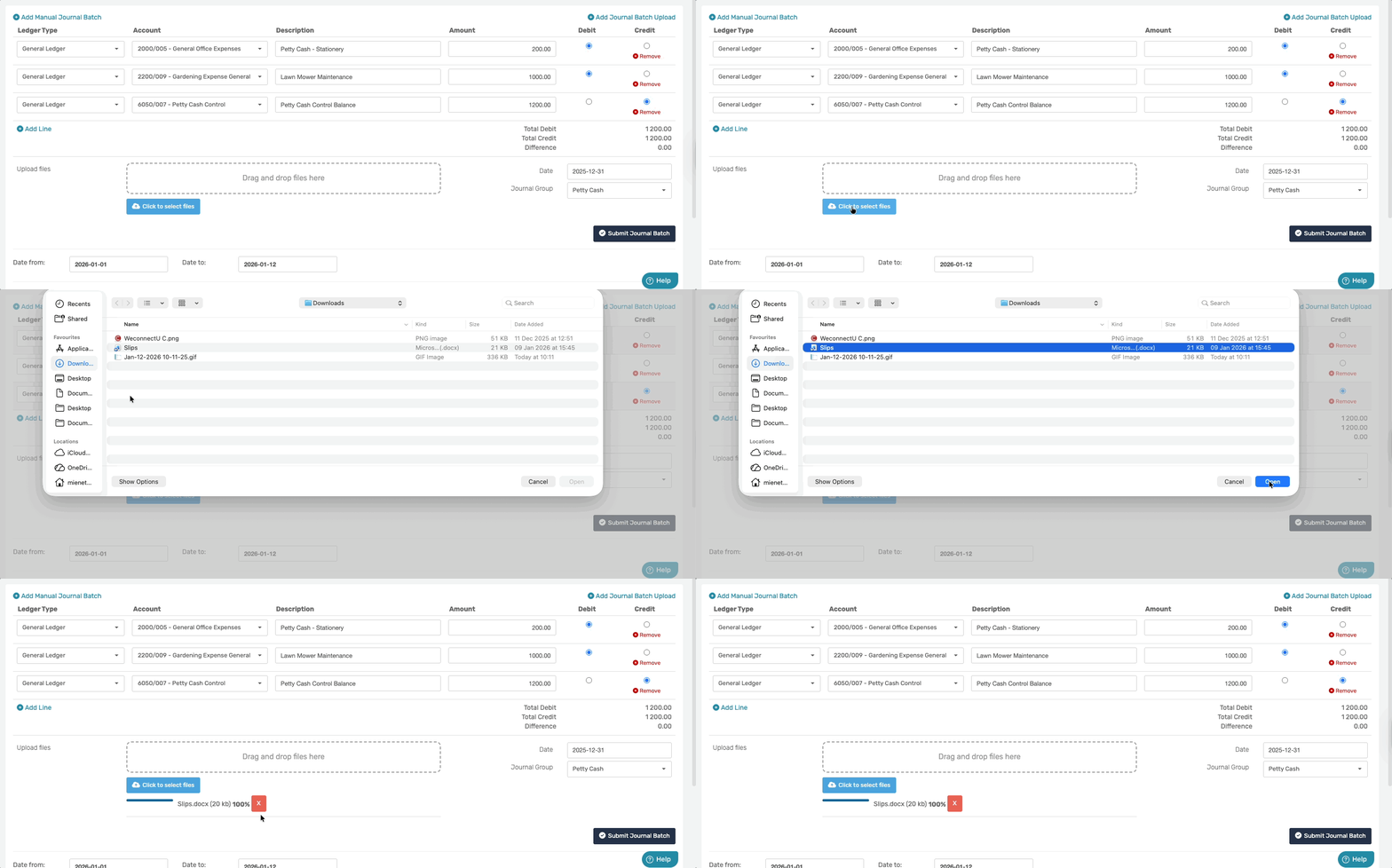
And then save and submit the journal.

This entry reduces the petty cash balance while correctly recording the expense.
When petty cash is replenished via a cashbook transfer, allocate the transaction to the Petty Cash Control Ledger.
Note: Best practice is to replenish petty cash through a cashbook transfer, rather than journals, to ensure accurate cash reporting. Best Practice Guidelines:
|
Was this article helpful?
That’s Great!
Thank you for your feedback
Sorry! We couldn't be helpful
Thank you for your feedback
Feedback sent
We appreciate your effort and will try to fix the article