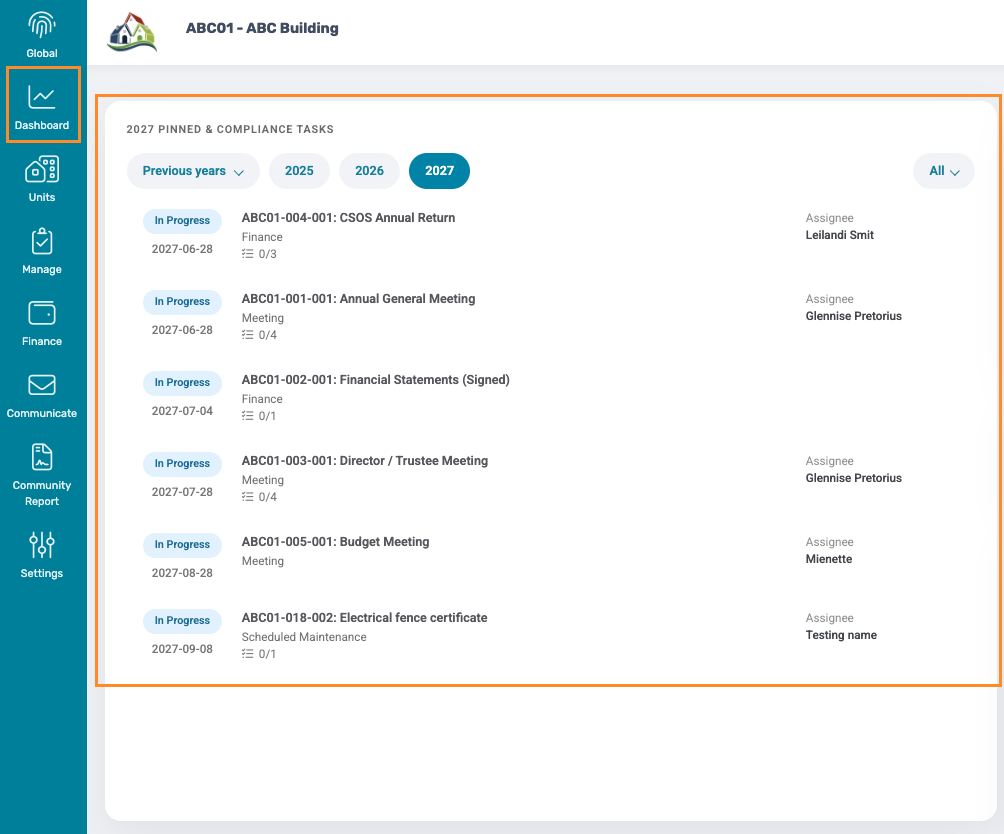
Each Community has its own Community Planner Dashboard, providing an overview of all upcoming and due Compliance items for the selected year.
Community planner
Navigation: Community Level > Dashboard
The planner is pre-populated with all of the needed Compliance items that happens in any Sectional Title or Homeowners Association.
Adding an Additional Meeting item
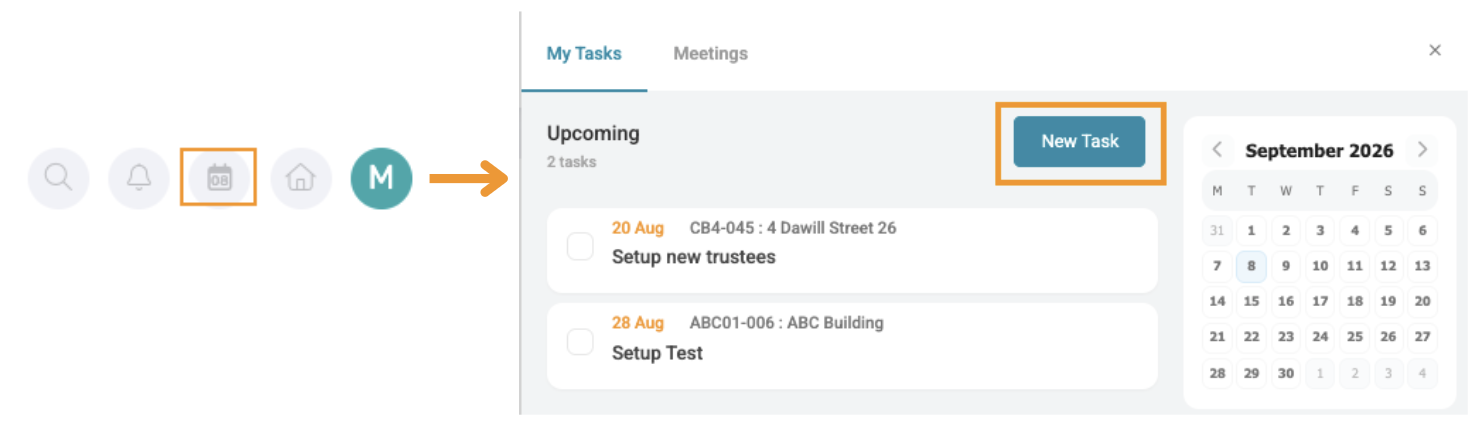
Navigation: Community Overview > Calendar Icon > My action List > New Task
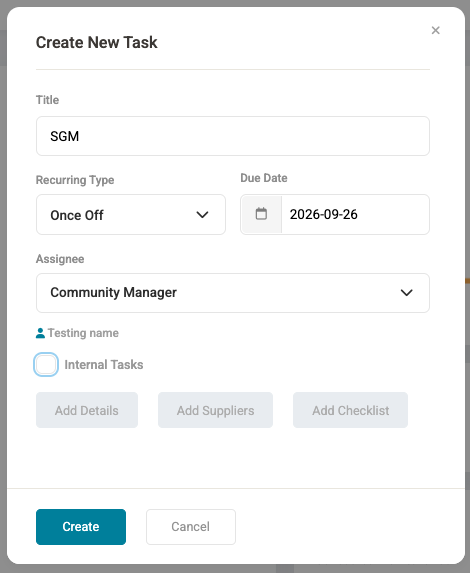
Complete the Task Card with the required details.
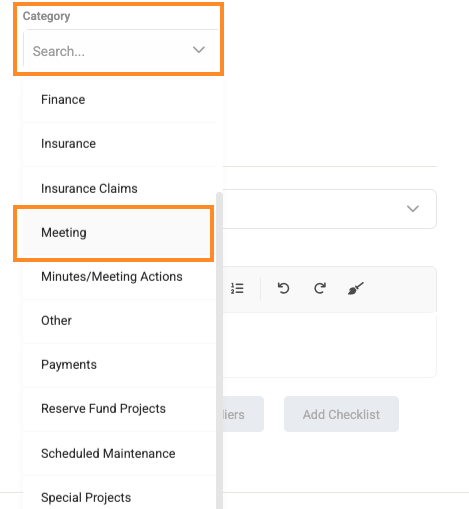
To create an additional Meeting Card, select Add Details on the Task Card. From the Category drop-down menu, select Meeting.
Next, select whether the meeting applies to Owners, or Trustees only.
Pin a Task
Navigation: Community Overview > Manage > Task
Additional Task that are not Compliance items, but still need to be visible on the Planner dashboard, can be pinned to the planner.
Select the Pin icon to pin the task to the Community's Planner Dashboard.

The pin can be removed by clicking the same icon.
Updating Planner Items
Navigation: Community Level > Dashboard
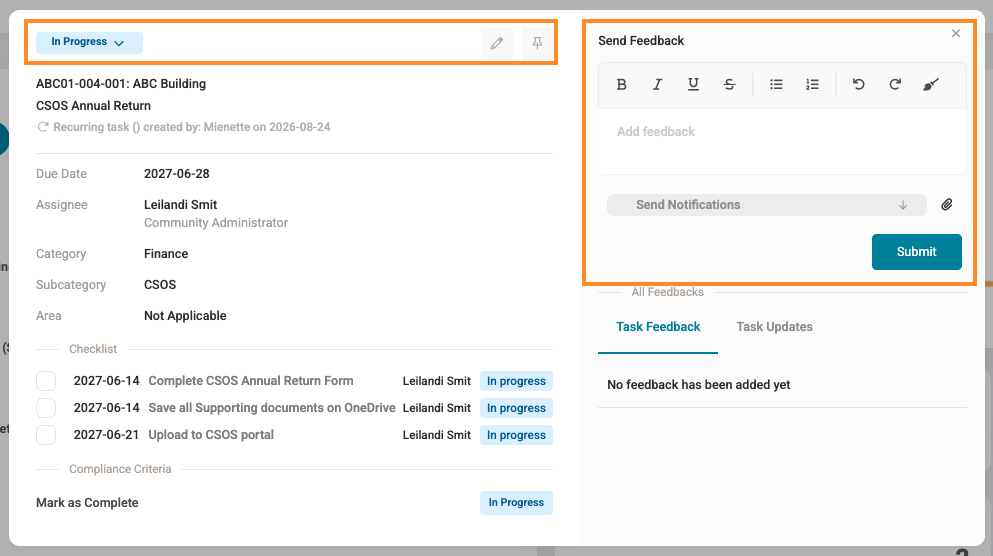
Select the relevant item on the Planner Dashboard to open the Task Card. From the Task Card, the Task Update and Feedback can be updated as required.
Compliance Items/ Tasks
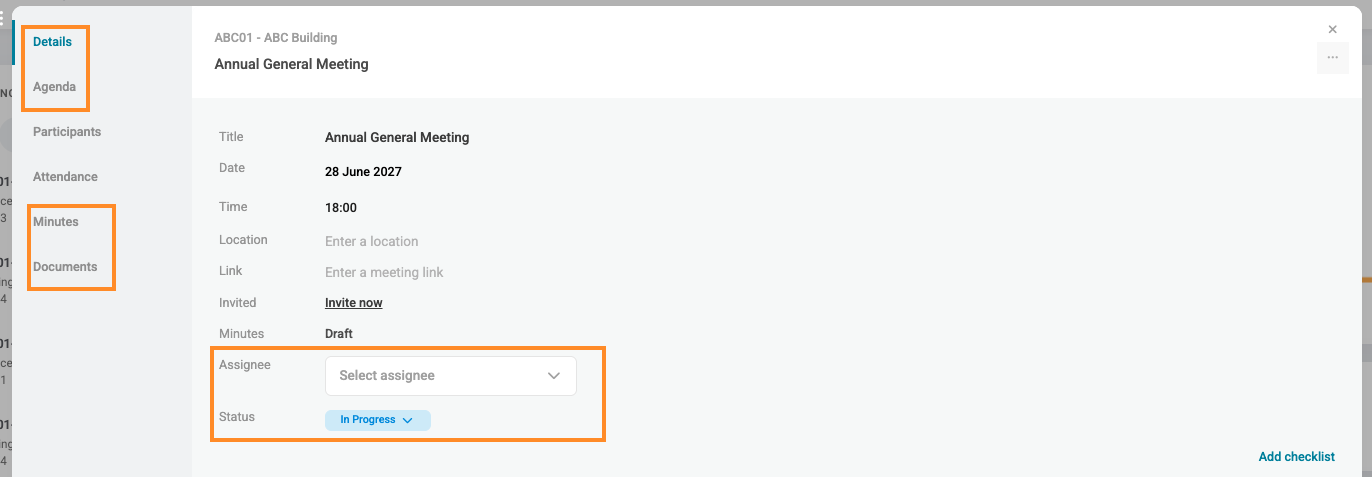
Meeting Compliance Items
| Resources: | ||
| CMS - Task & Compliance Setup (NexGen) | ||
| CMS - Task Management (NexGen) |
Was this article helpful?
That’s Great!
Thank you for your feedback
Sorry! We couldn't be helpful
Thank you for your feedback
Feedback sent
We appreciate your effort and will try to fix the article