Documents
Documents section provides a central location for all documents uploaded to the Community Planner, including those uploaded to Meetings and Finance Cards. From here, users can easily view and download these documents whenever needed.
In addition to Planner documents, the Statutory and General categories allow users to upload and store other important community documents, making them easily accessible in one convenient location.
1. Uploading Documents from the Planner and Compliance
Navigation: Community level > Dashboard > Compliance Card
1.1. Uploading Finance Documents
Select the Compliance Card. On the pop-up card, click on Upload Attachment. Documents uploaded on the Planner and Compliance Card will pull through to the Documents page and will be able to be viewed by Trustees and Owners (based on the permissions)
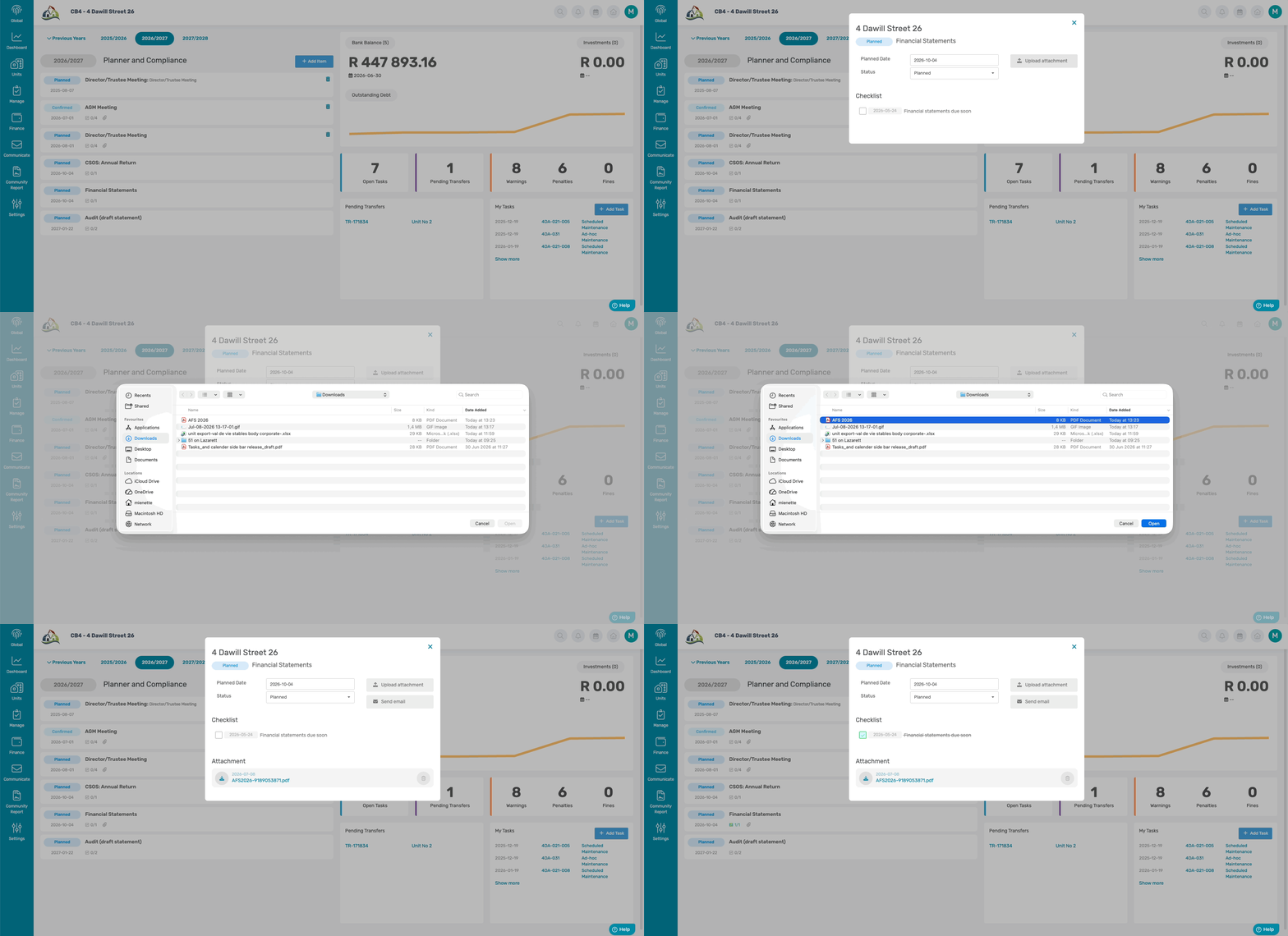
Once the document has been uploaded on the Compliance Card, a paperclip icon will appear on the Planner.

1.2. Uploading Meeting Documents
Select the Meeting Compliance Card. On the pop-up navigate to the Documents tab within the Meeting card.
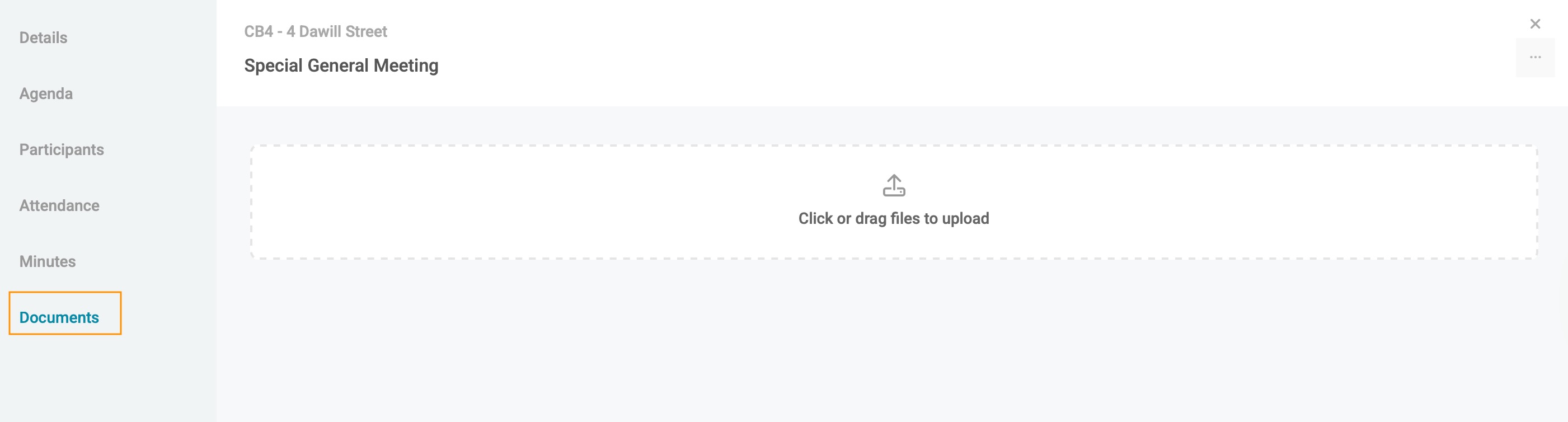
On this page, click or drag files to upload the finalized Minutes document.
Once uploaded, click on the grey circle icon next to the document and select "Mark as Compliant". The icon will change to a green tick, indicating that the document is compliant.

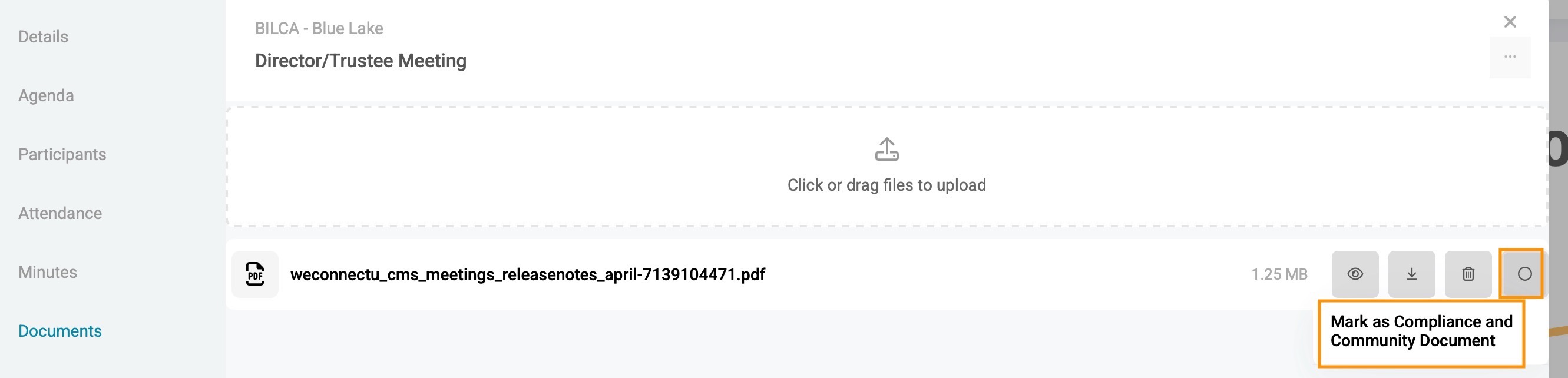
This action will also ensure the Minutes appear on the Documents > Meeting page for trustees and owners to access.
2. Uploading Documents to the other categories
Navigation: Community level > Manage > Documents
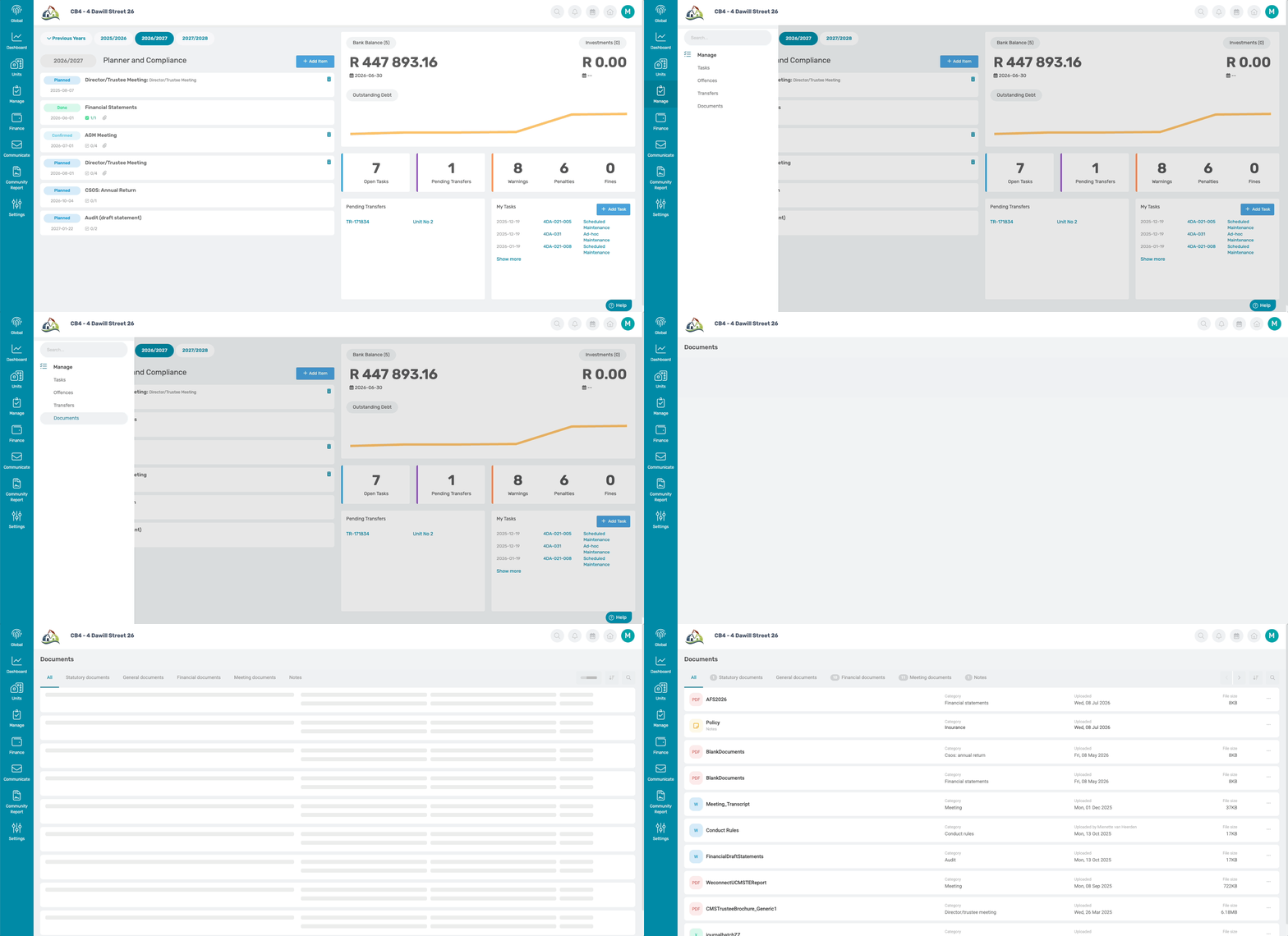
To upload any other documents, click on the Statutory or General tab, at the top of the page, and click on the plus icon in the top right corner:

Label the document by typing in the Document name, selecting the category, and clicking on Click to select document, to select any file on your computer to upload.
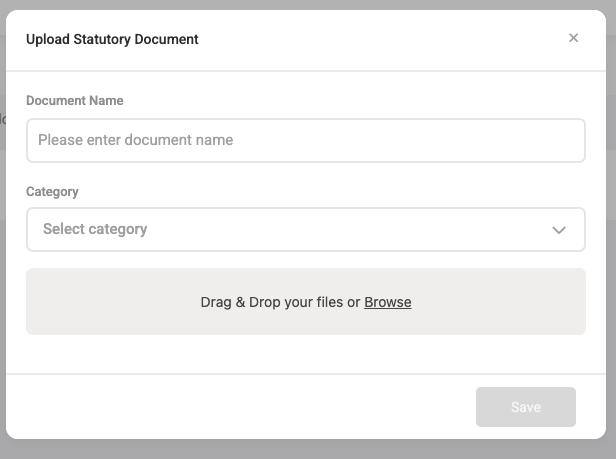
This can be used for the following document:
- Conduct Rules
- Insurance Schedules
- Management Contracts, Security Contacts, etc
Uploading these documents will ensure that all trustees and homeowners will have access to these documents.
Resources: | ||
| CMS - How to Upload Documents | ||
| CMS - How to Upload Meeting Documents | ||
| CMS - Meeting Documents How to Guide |
Was this article helpful?
That’s Great!
Thank you for your feedback
Sorry! We couldn't be helpful
Thank you for your feedback
Feedback sent
We appreciate your effort and will try to fix the article