Arrears Management notices serve as pre-legal communication, although no standard format across the industry. This guide explains how to setup arrears notice messages within the Solution, enabling clear, consistent, and professional communication with owners in arrears.
These steps can be followed to set up the default message that will be sent within communities when notices are sent from Customer Age Analysis.
Set up of Arrears Notice Messages
Navigation: Global Overview > Settings > Communication
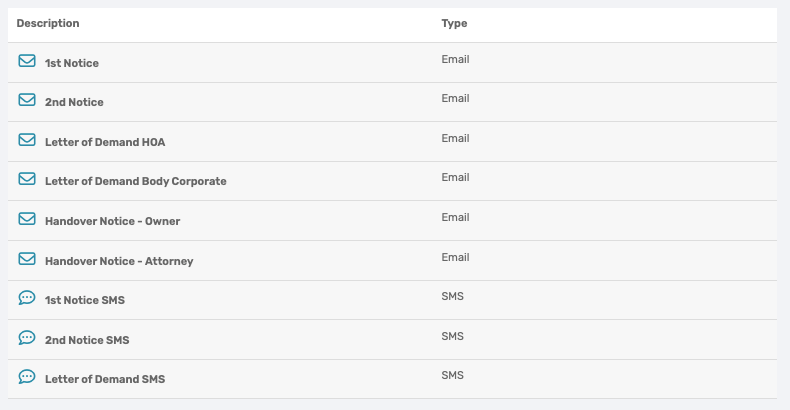
From the list of different available default messages to set up, select the relevant message to be set up. The Letters of Demand have already been populated but can be amended.
By clicking on the relevant message, the following pop-up will appear. Complete the fields provided.
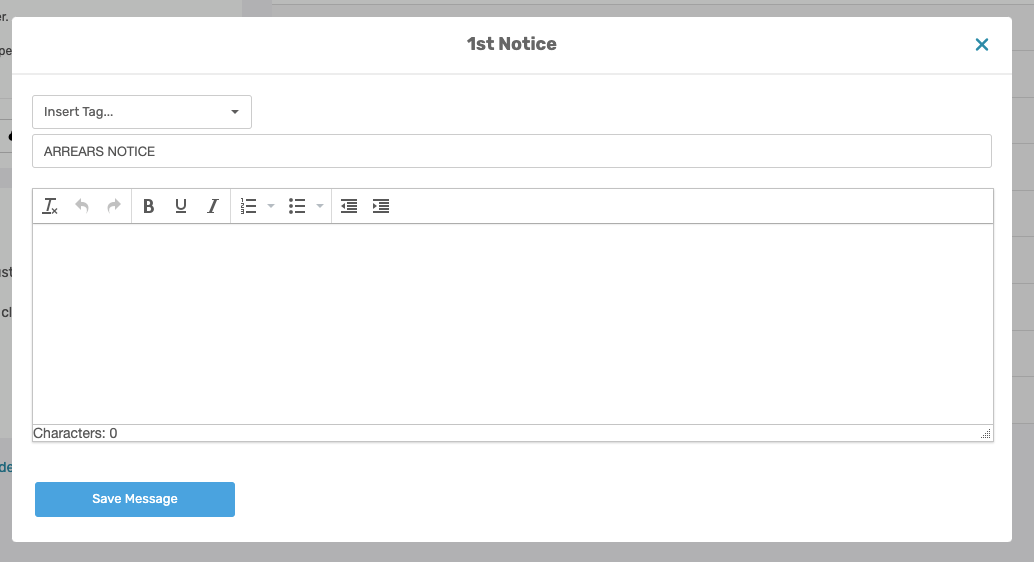
This email message will be sent to the owner notify them that their account is in arrears. When drafting the email message, navigate to the appropriate section in the message box and insert the required wording. Please ensure that the relevant Tags are used for details such as the owner's name and outstanding amount, rather than capturing this information manually.
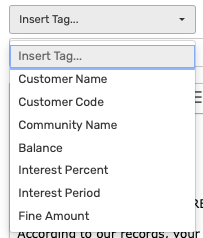
Example: Notice the words with the [ ] around them, the WeconnectU Solution will automatically change the data applicable to each owner. So that the Property Manager does not have to manually update each Notice email with the relevant owner details. This ensures a more personalized notice for each owner. 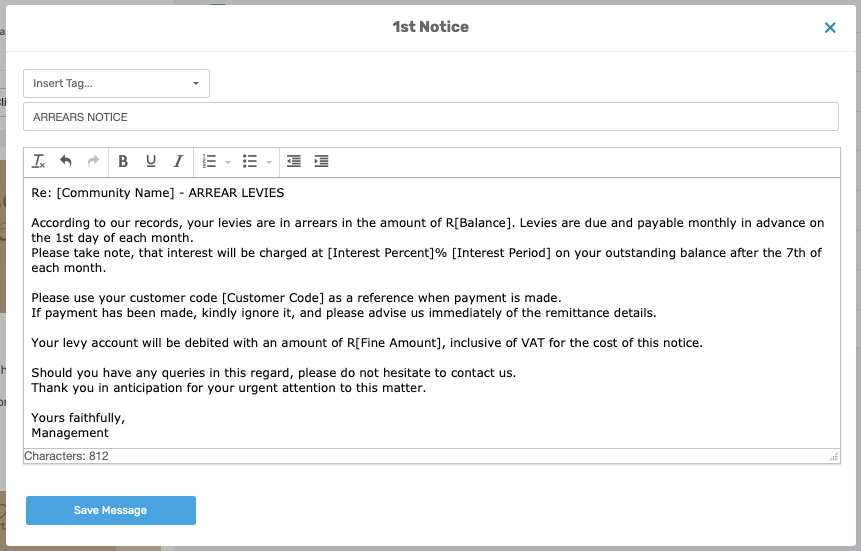 |
Resources: | ||
CMS - How To: Set Up Arrears Notice Messages |
Was this article helpful?
That’s Great!
Thank you for your feedback
Sorry! We couldn't be helpful
Thank you for your feedback
Feedback sent
We appreciate your effort and will try to fix the article