If the address on the customer Statement and Invoices is incorrect, the amendment will need to be done under Manage Customers.
Address Change
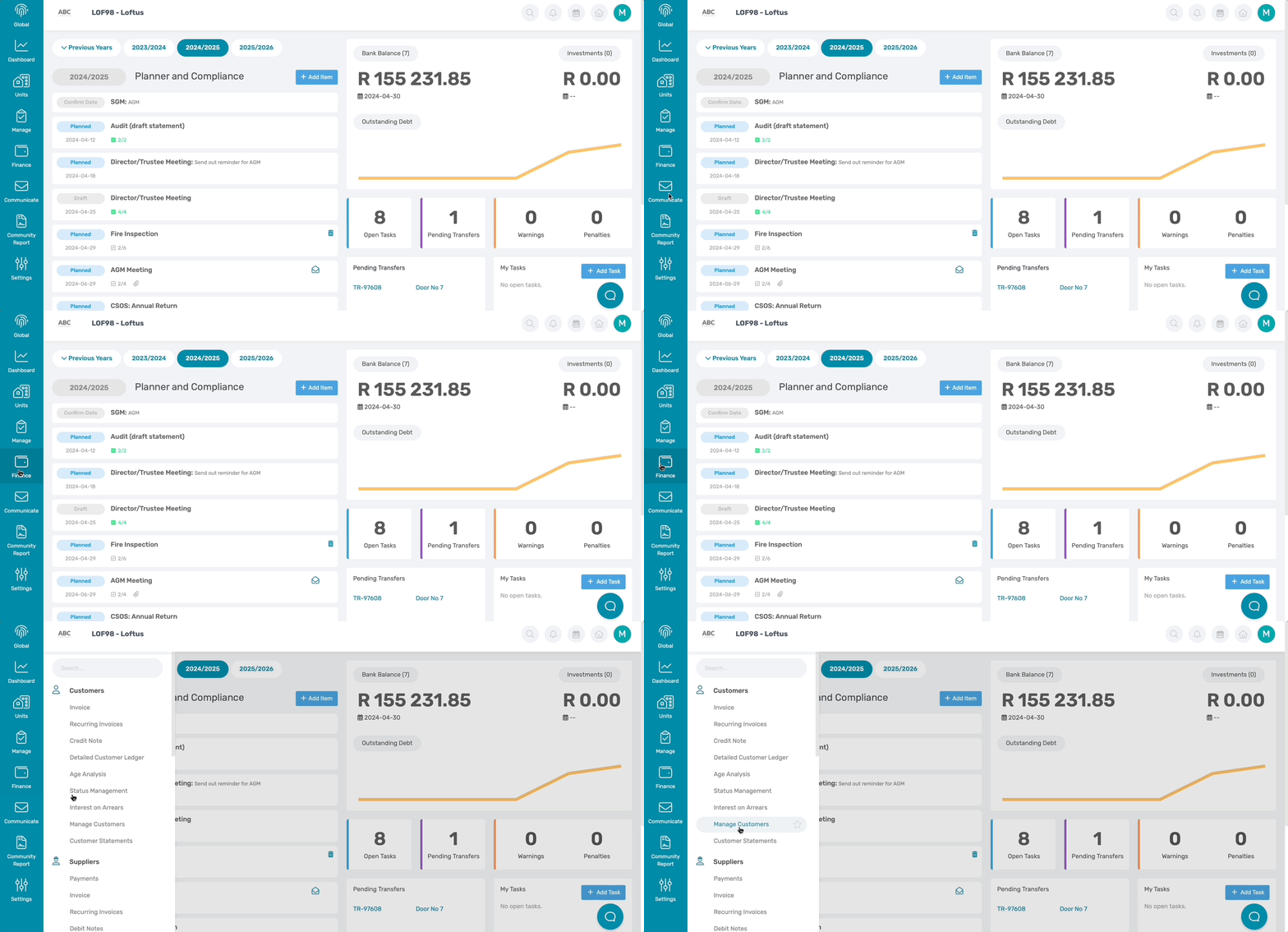
Navigation: Community Level > Finance > Customer > Manage Customers
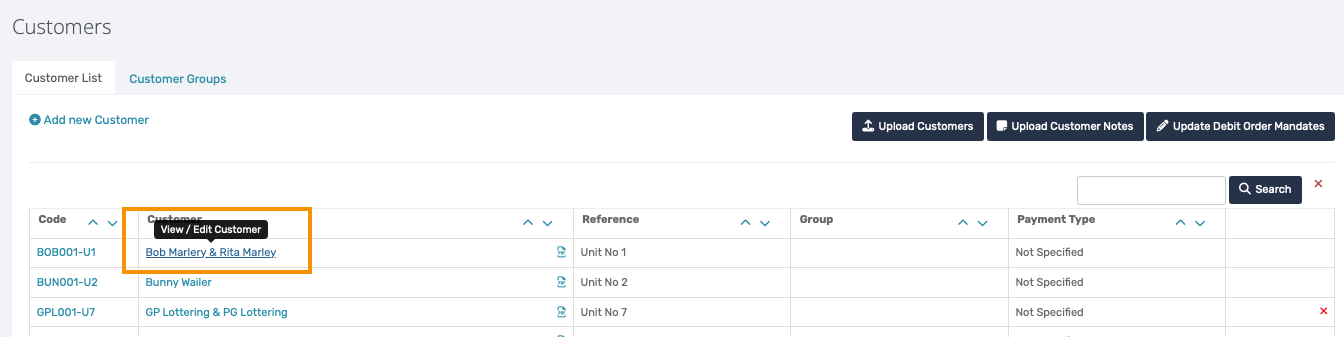
Click on the relevant customer name
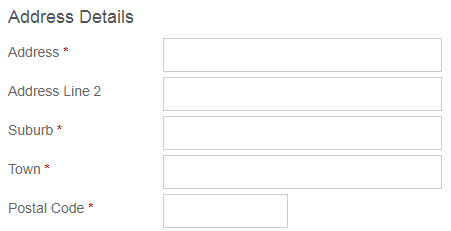
Scroll down to the Address Details section and complete the required fields.
Click on Update Customer

| Resources: | ||
| CMS - How to Update Customer Address |
Was this article helpful?
That’s Great!
Thank you for your feedback
Sorry! We couldn't be helpful
Thank you for your feedback
Feedback sent
We appreciate your effort and will try to fix the article