We are excited to introduce the new Supplier Invoice page and AI Invoice Assistant, designed to make managing supplier invoices more efficient than ever. This can be managed on the Global & Community Payments Page.
1. What has changed??
Everything related to capturing, creating, and managing supplier invoices will now be centralised on one page, which will be the Supplier Invoice Page. This will include individual supplier invoices (ad-hoc) as well as the recurring supplier invoices (Fixed & Variable)
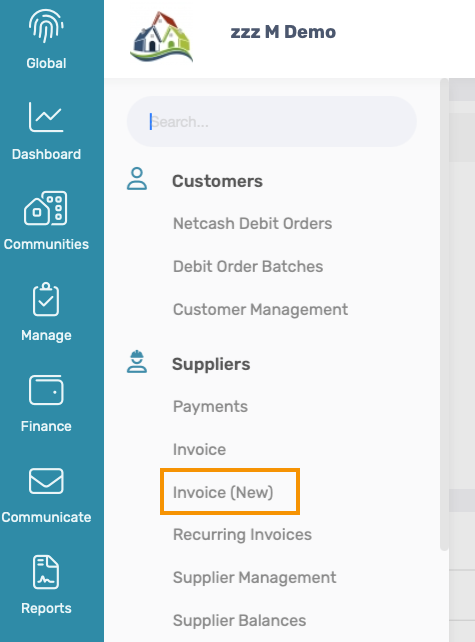
2. Supplier Invoice Page Navigation
Navigation: Global Level > Finance > Suppliers > Invoices
2.1 Previous Invoice Page
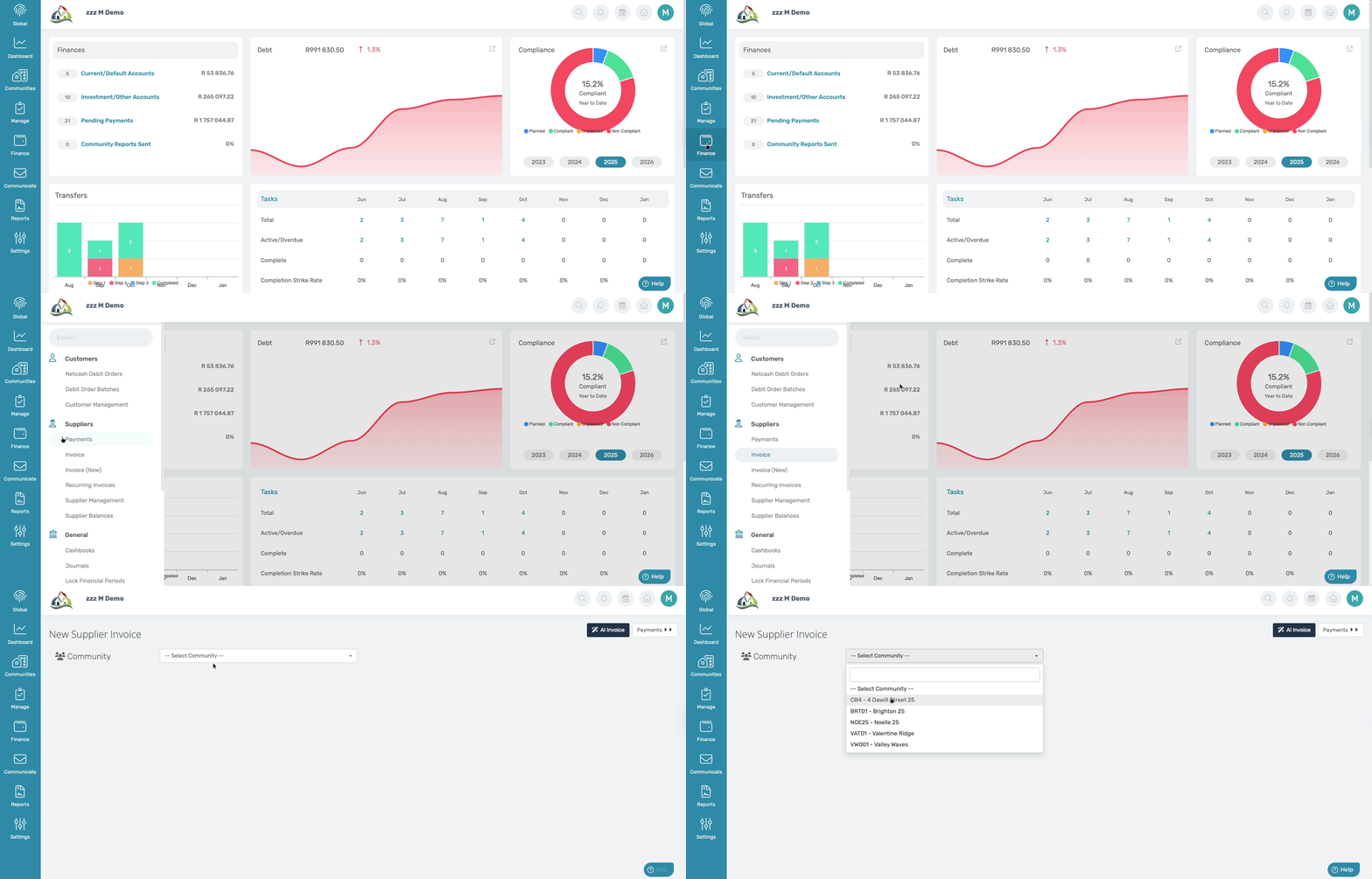
2.2 New Invoice Page
The screen below will appear with the next three tabs: Overview, Drafts, Created, and Unmatched. On this page, the processing of the invoices will be done.
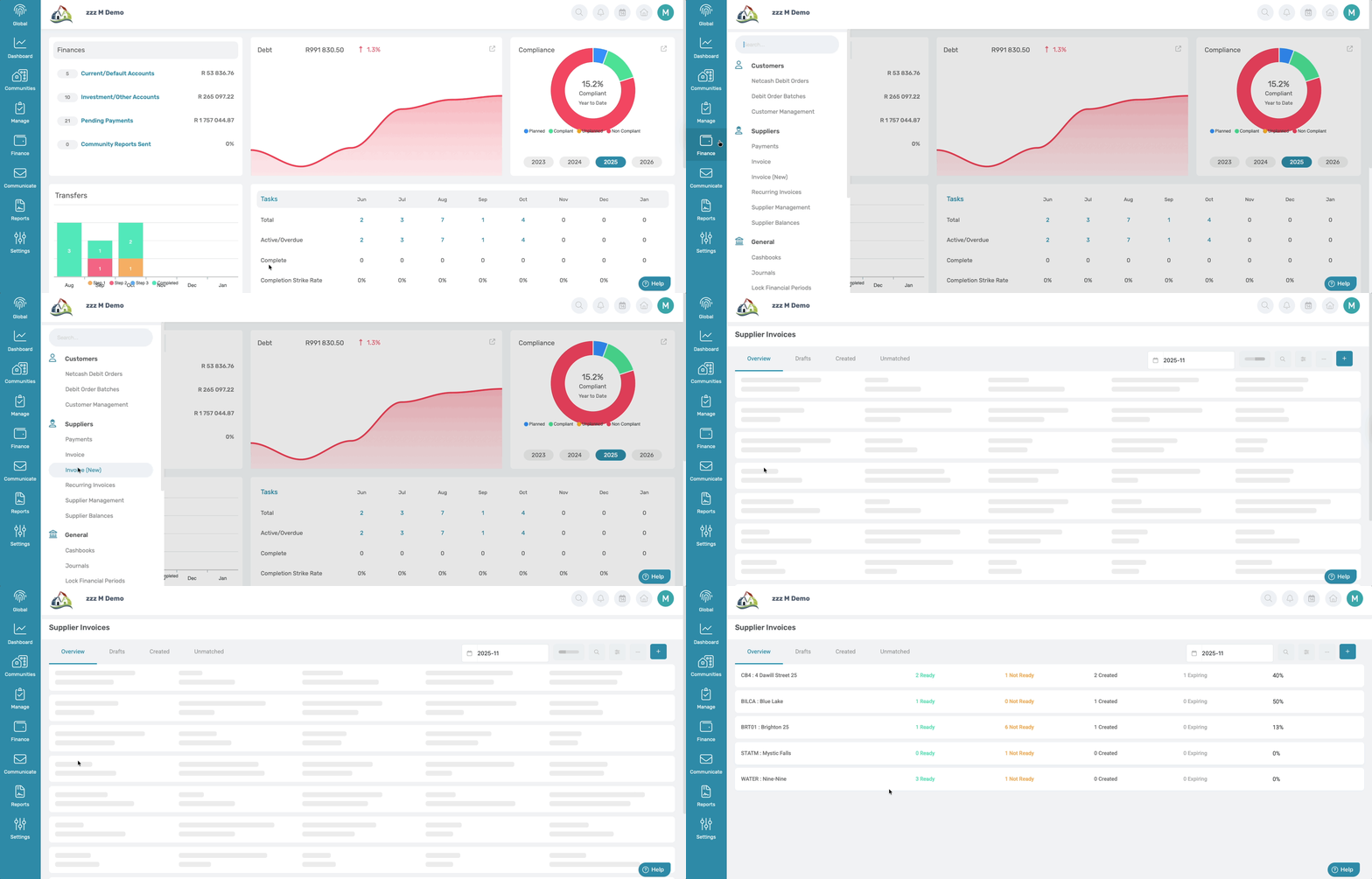
3. Capturing Single Supplier Invoices
3.1 Previous Invoice Page
Previously a User could capture supplier invoice on the invoice and/or payments page.
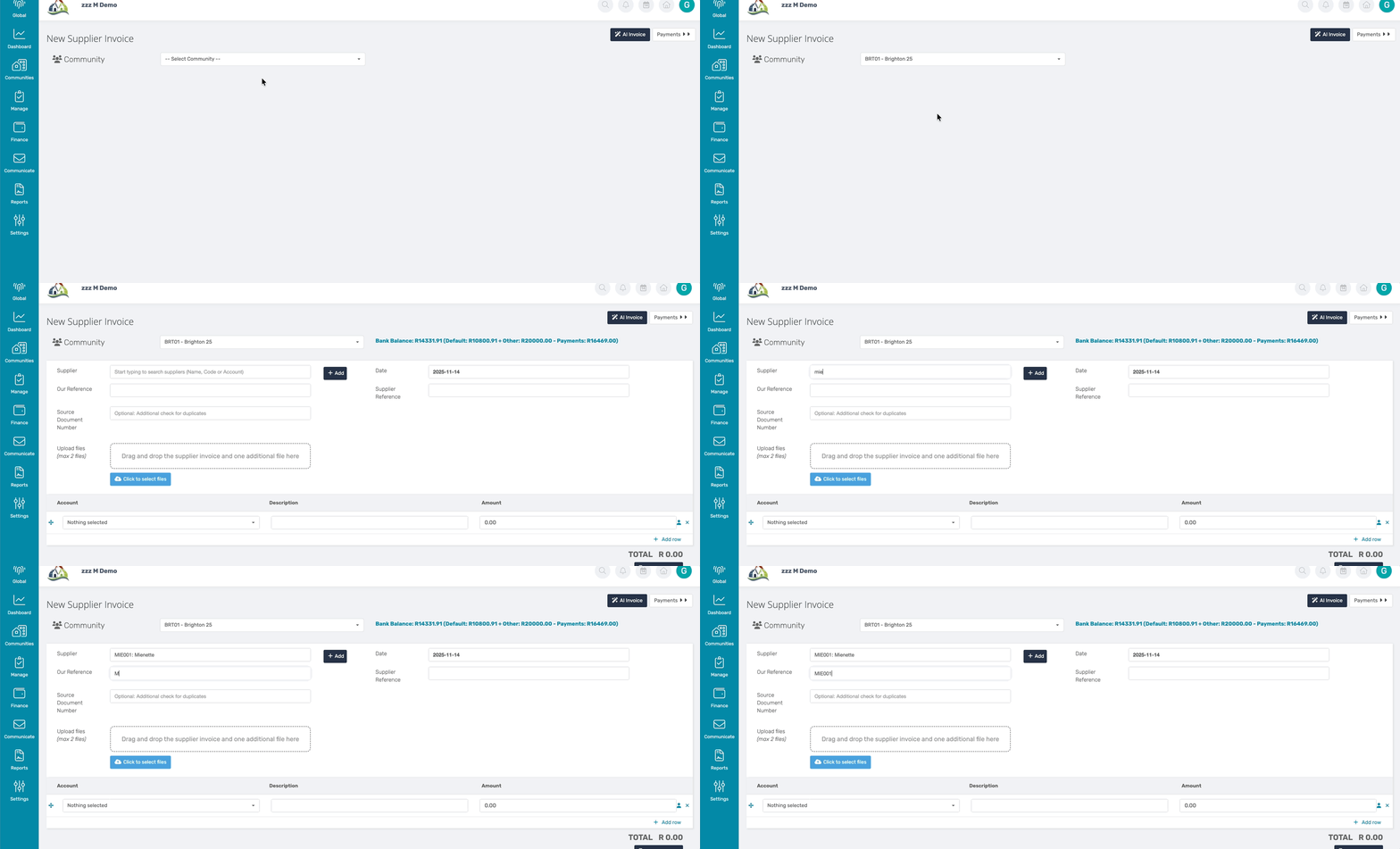
3.2 New Invoice Page
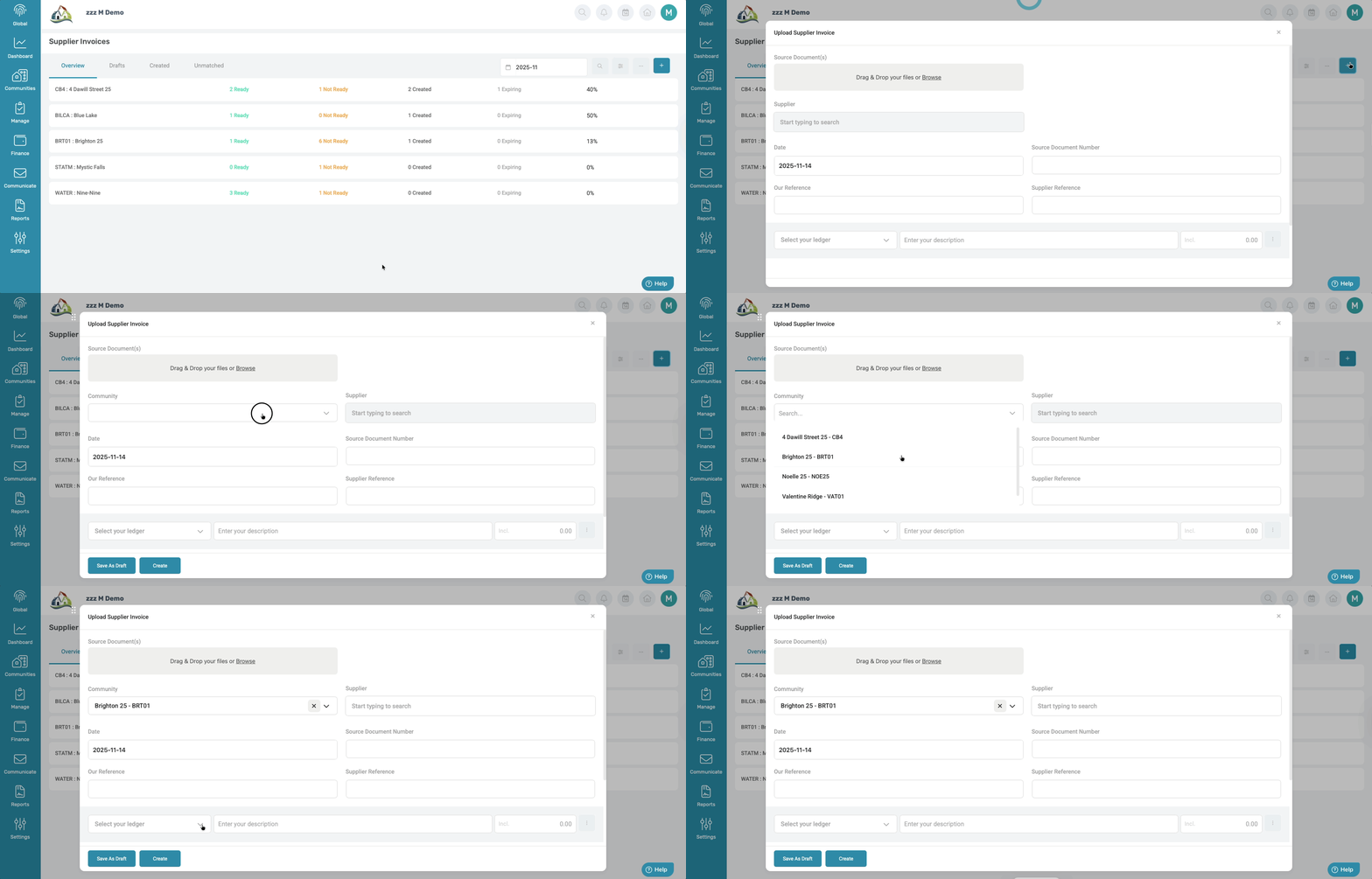
A big navigation change is that to start the supplier invoice capturing process, click on the blue button with the plus icon.
4. Capturing Bulk Supplier Invoices
4.1 Previous Invoice Page
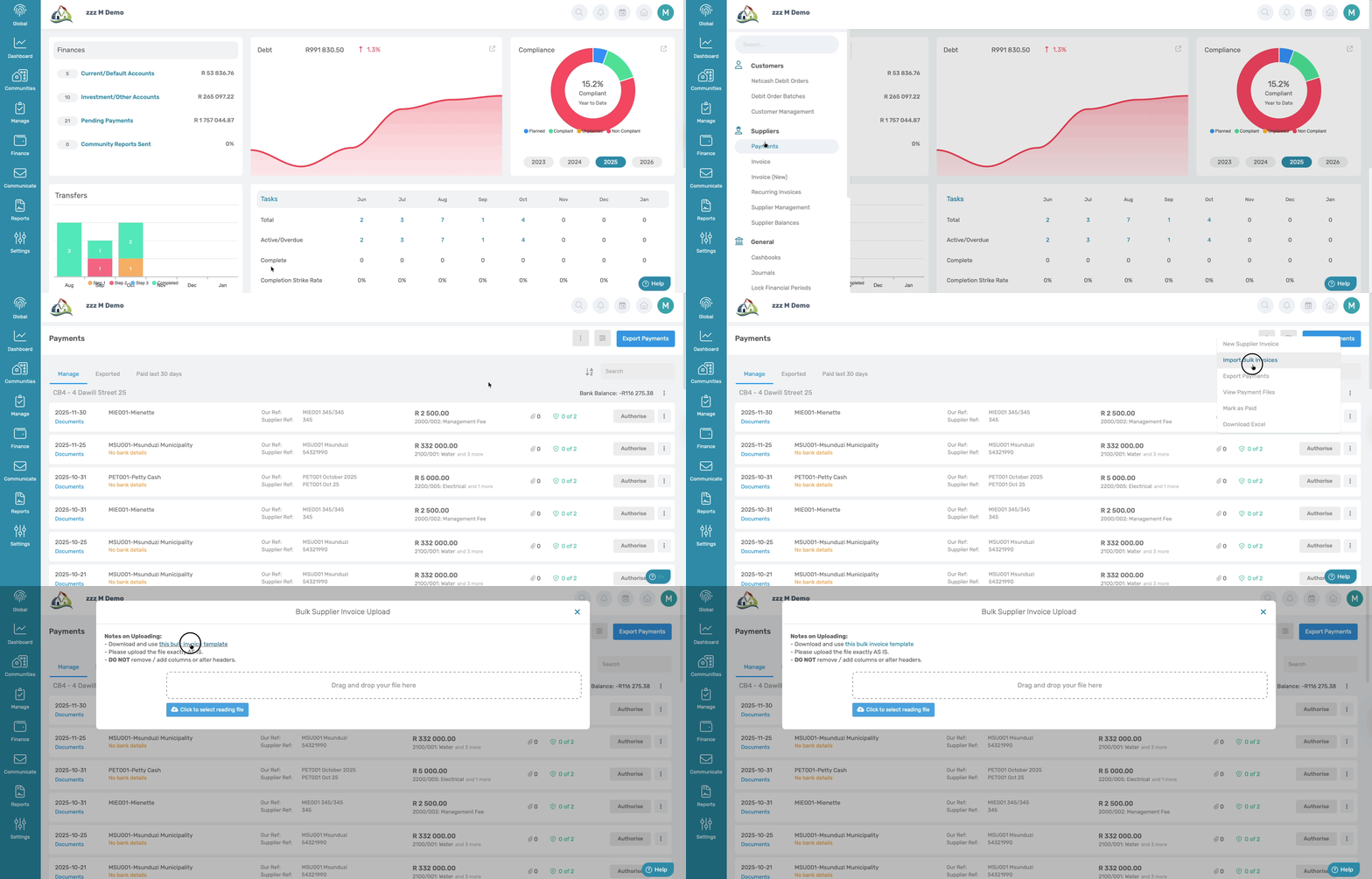
Navigation: Global Level > Finance > Payments
4.2 New Invoice Page
Another big navigation change is that bulk supplier upload will no longer be under the Payments Page but has moved into the New Supplier Page.
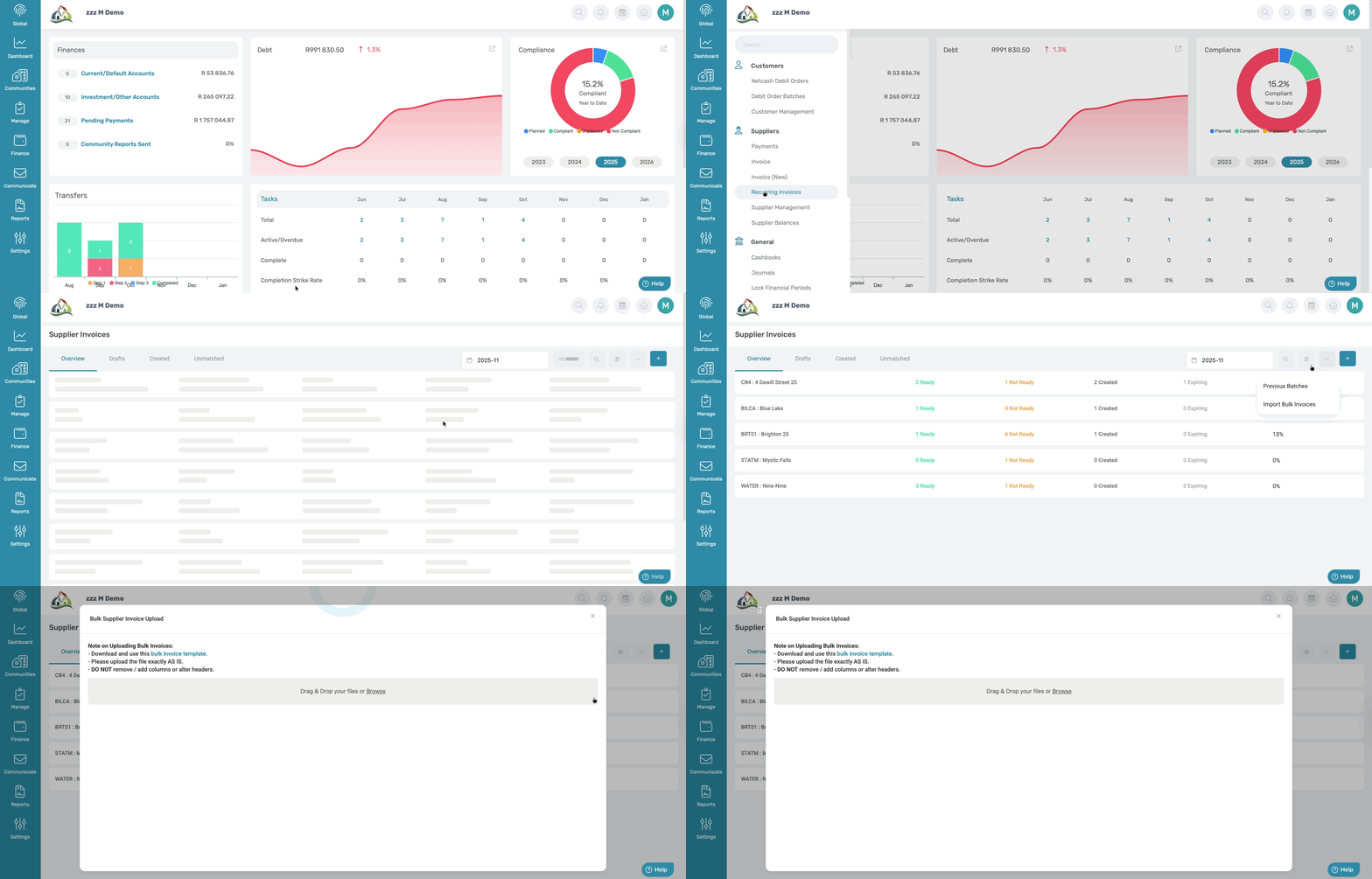
| Important: No invoices can be captured or created from the payment page, ALL supplier invoices, individual, Bulk Excel import, Recurring will need to be captured and created on the New Invoice page. |
Was this article helpful?
That’s Great!
Thank you for your feedback
Sorry! We couldn't be helpful
Thank you for your feedback
Feedback sent
We appreciate your effort and will try to fix the article