The Audit Trail Report provides full visibility into who performed an action, what was done, and when the action took place. This ensures transparency, accountability, and accurate record-keeping across all community activities.
What the Audit Trail does
The Audit Trail automatically records key interactions performed within the Solution, including:
- Additions, edits, and deletions made to data
- Updates to the owner, supplier, or community information
- Financial Transactions created or changed
- User logins and key permission-based actions
Each entry displays:
- Date & Time of exactly when the action was done
- The Community the action was performed
- User - the person who performed the action
- Audit - What has been done
Accessing the Audit Trail
Navigation: Global Overview > Reports > Audit Trail
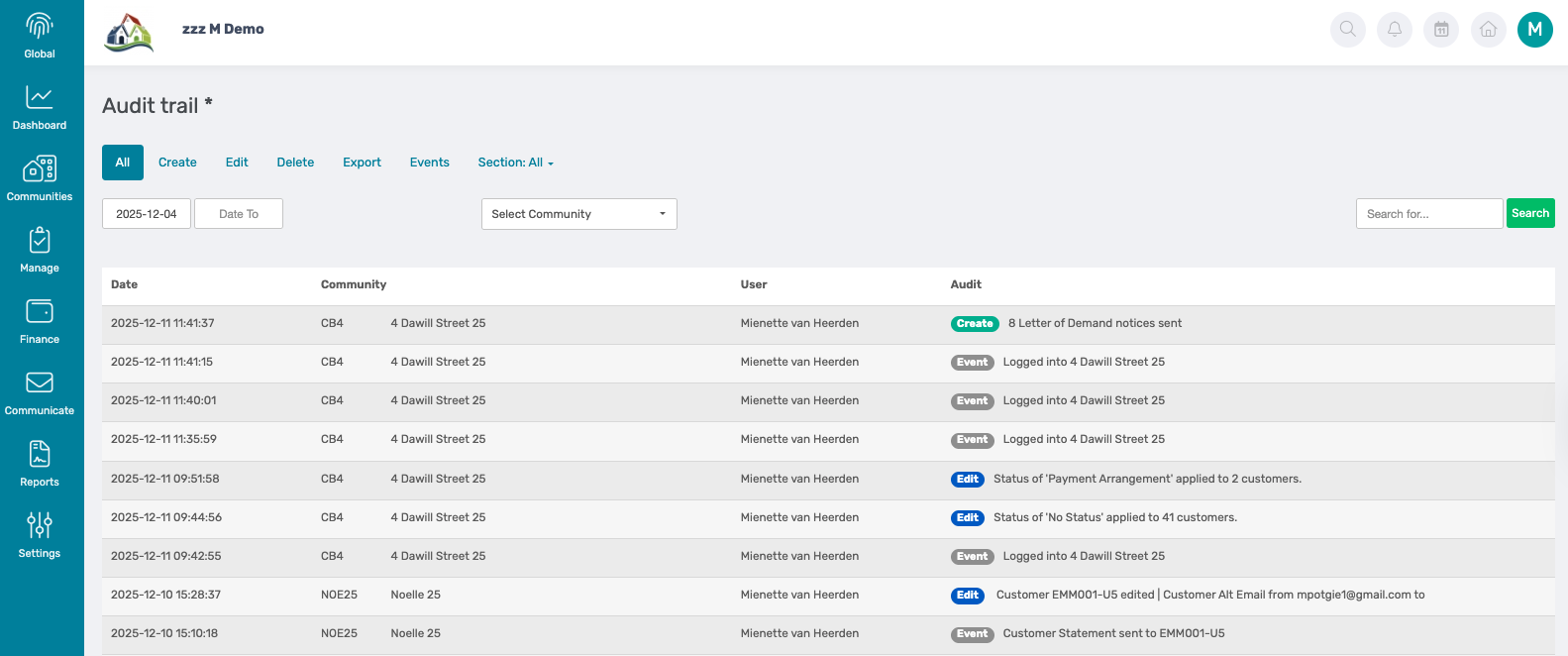
The following filter options are available:
1. Date
The date range filter allows users to select a specific period and view all actions performed within the timeframe.

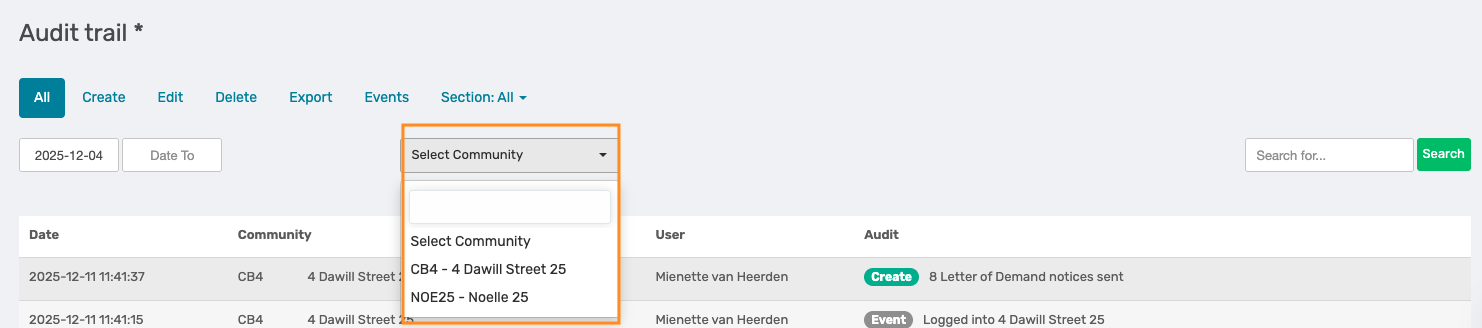
2. Select Community
From the dropdown menu, the user can select a specific community to view only the actions performed within that community.
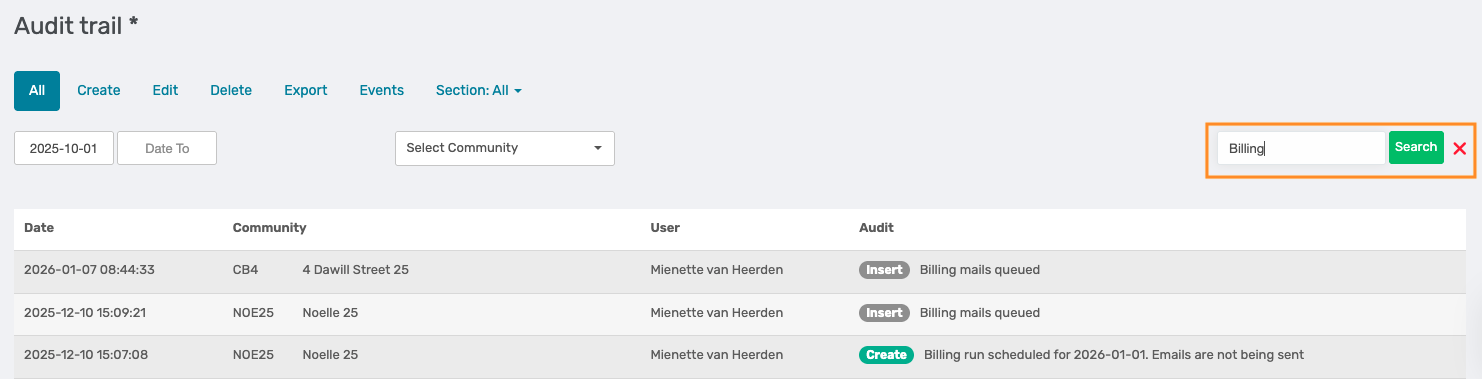
3. Search Bar
Enter the specific action you are looking for, or enter the user's name if you would like to see all actions performed by the specific user.
Additional Filter tabs
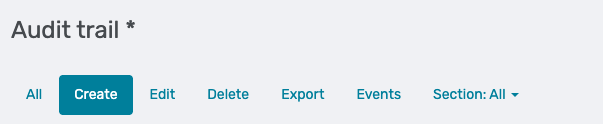
The Audit Trail includes several tabs that allow users to filter and view specific types of actions performed on the Solution. Each tab displays activity based on the selected date range.
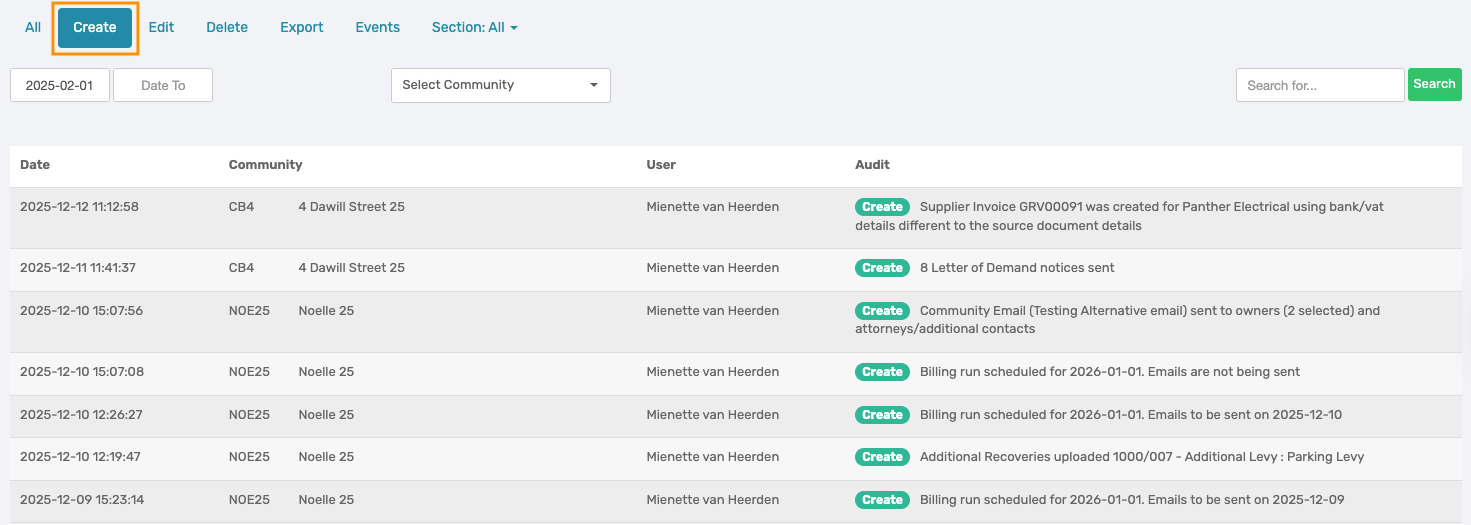
Create
This tab displays all records that were created on the Solution, including, but not limited to:
- Supplier Invoices
- Customer Invoices
- Billing Runs
- Compliance and Planner Items
- Additional Recoveries and line items
- Trustee Authorisation
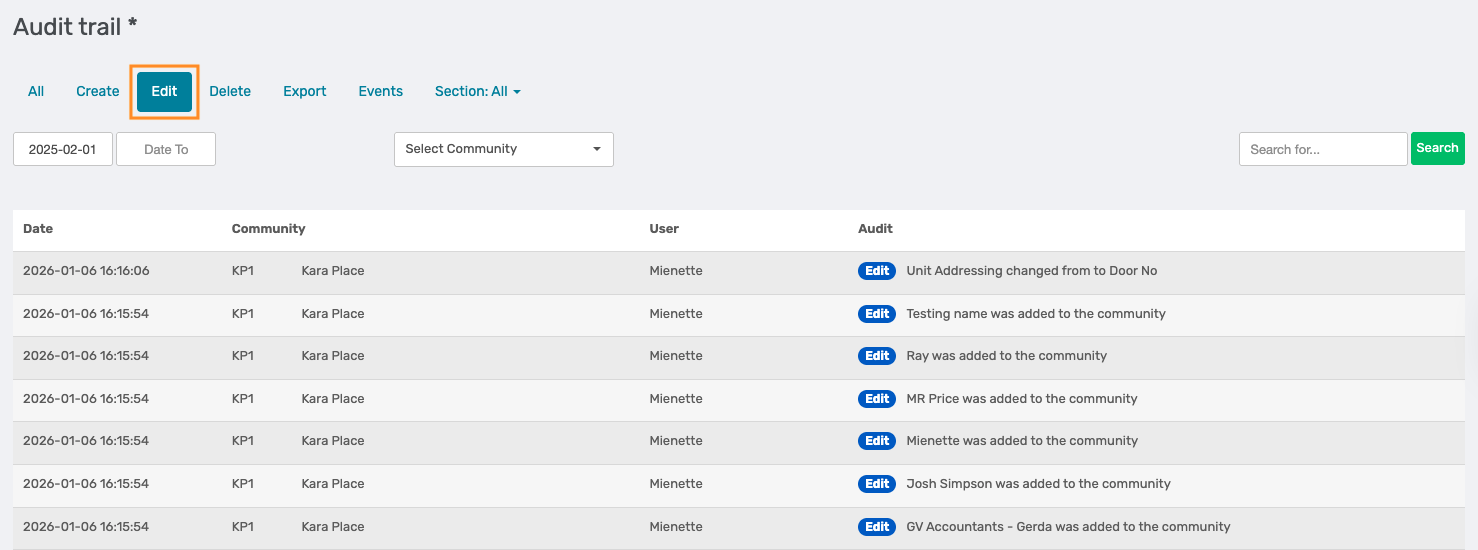
Edit
This tab displays all records that were amended after creation, including:
- Unit addressing changes
- Business Users add to Communities
- Arrear status changes
- Customer and owner detail updates
- Billing additions and default billing setup changes
- PQ file uploads
- Budget Setup changes
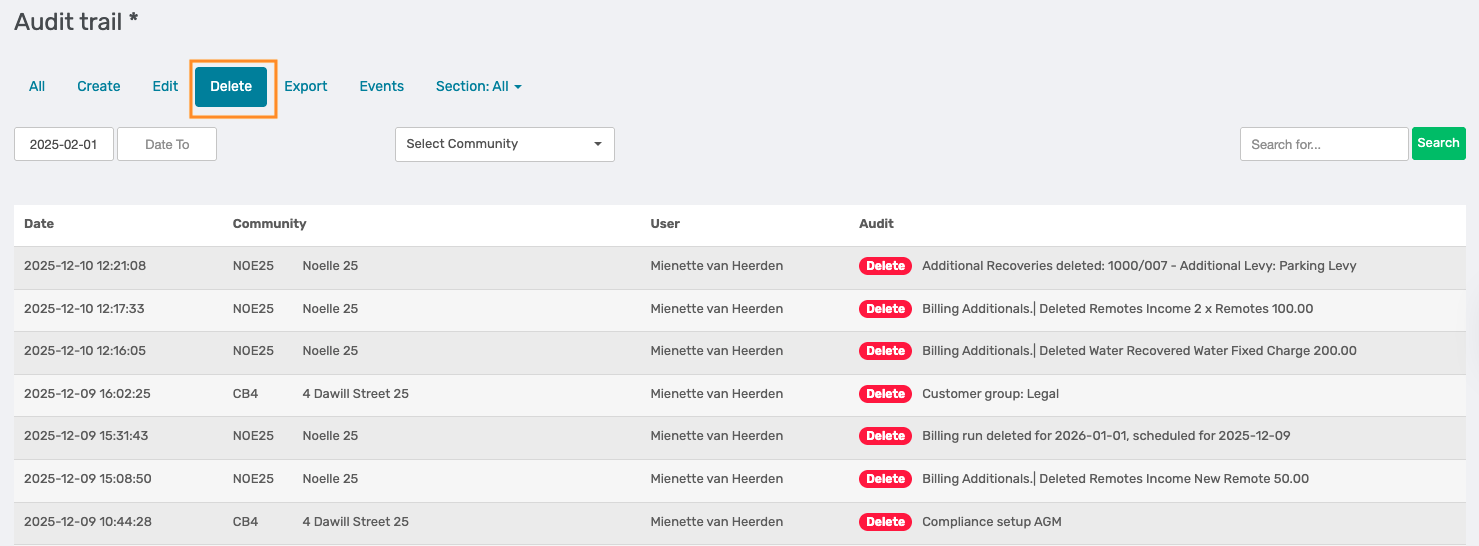
Delete
This tab displays all records that were deleted from the Solution, including:
- Billing additions and billing runs
- Compliance and Planner items
- Utility Readings
- Ledgers
- Tasks, Transfers and Offences
- Cashbook Transactions
- Journal Entries
Export
This tab displays all records that were exported from the Solution, including:
- Customer Ledgers
- Reports exported to Excel or PDF
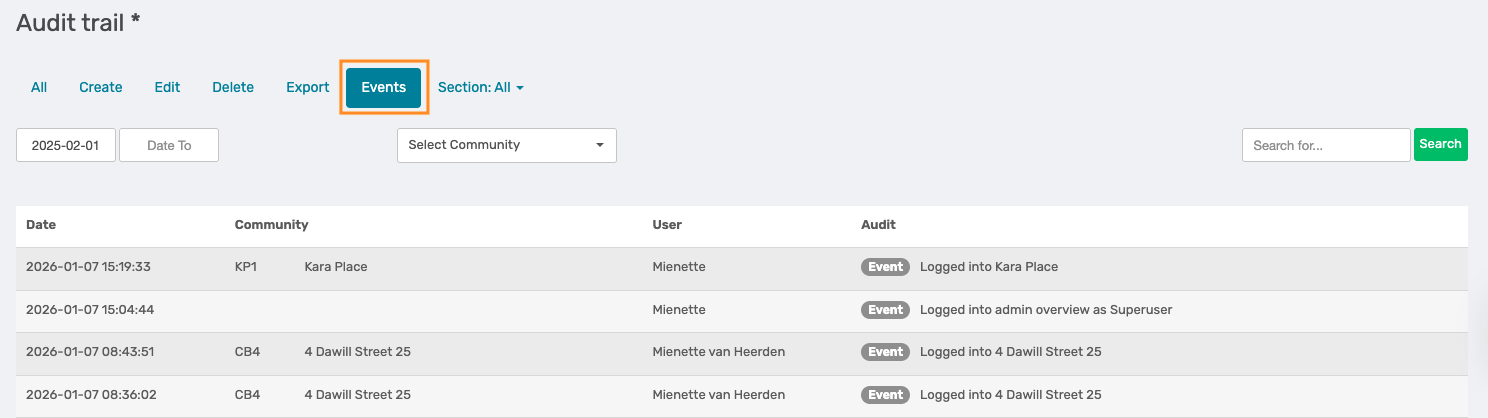
Events
This tab displays the business user who logged in and into which community.
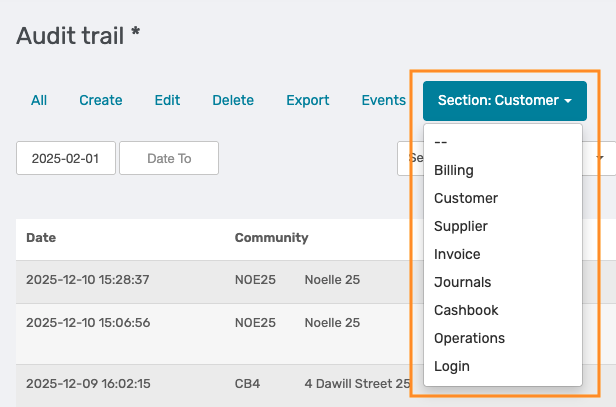
Selection
The Module selection filter allows users to narrow the audit trail to a specific area of the Solution to see where actions were performed. Available Modules to select from:
- Billing
- Customer
- Supplier
- Invoice
- Journals
- Cashbook
- Operations
- Login
Was this article helpful?
That’s Great!
Thank you for your feedback
Sorry! We couldn't be helpful
Thank you for your feedback
Feedback sent
We appreciate your effort and will try to fix the article