Why isn't my budget item showing on the reports?
If a budget item does not appear on the Actual vs Budget report, the ledger has most likely not been set as a budgetable item in the Solution. Only ledgers that are marked as budgetable will be included in the reports.
A budgetable item is an income or expense account that is included in the budget so it can be planned, tracked, and compared against actual amounts.
How to mark a ledger as a budgetable item
Navigation: Community Overview > Finance > Setup - Financial > General Ledger
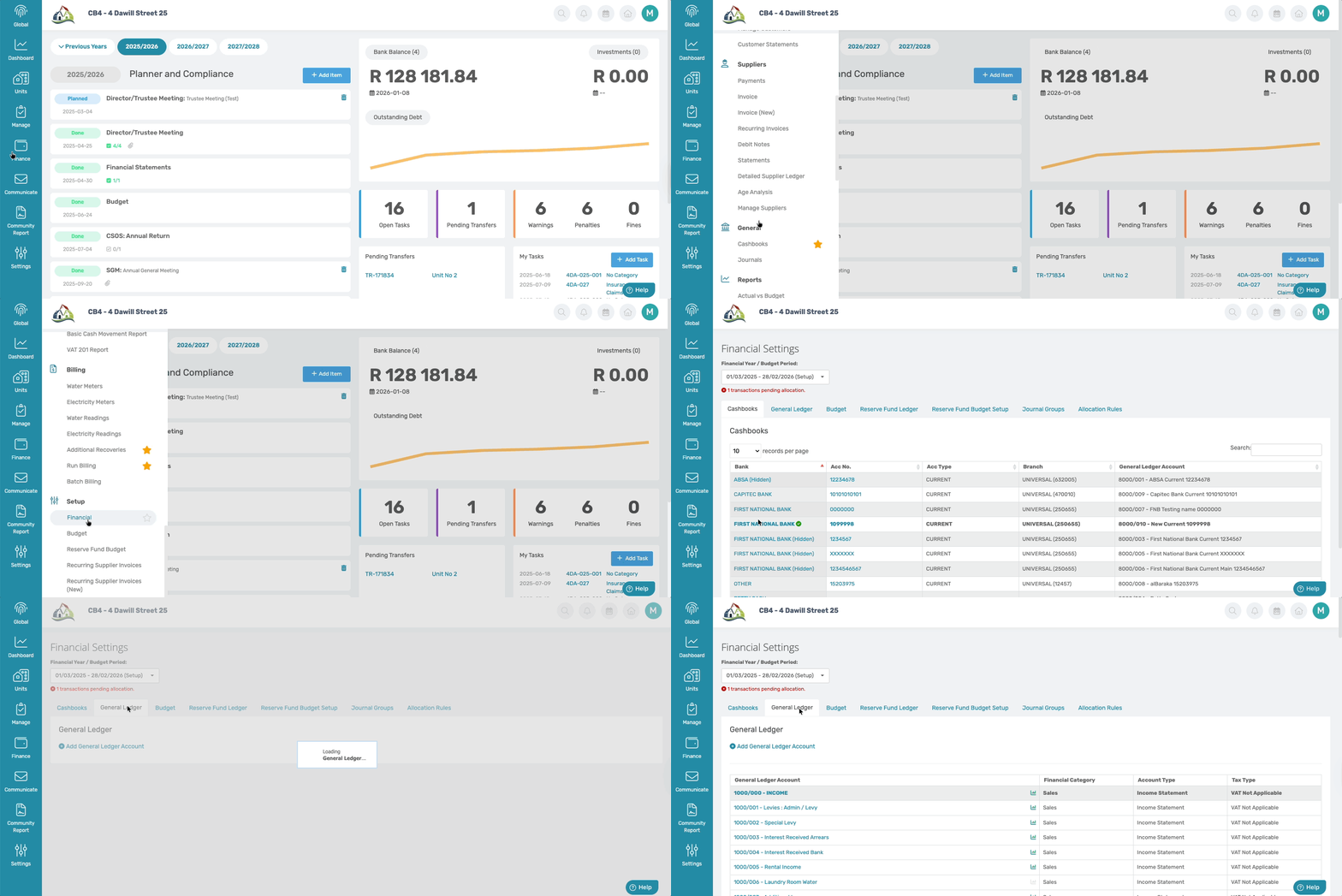
On the General Ledger tab, scroll down to find the relevant ledger, and click the graph icon next to this ledger.

When the icon turns green, the ledger is marked as budgetable.

Once the ledger is enabled as budgetable, it will display on the Actual vs Budget report and be included in the reporting going forward.
Was this article helpful?
That’s Great!
Thank you for your feedback
Sorry! We couldn't be helpful
Thank you for your feedback
Feedback sent
We appreciate your effort and will try to fix the article