1. Delete Cashbook
Navigation: Community Level > Finances > Financial > Cashbook
A cashbook which has any form of transaction captured cannot be deleted from WeconnectU. If there are no transactions in the cashbook, a red trash can icon will appear next to the Cashbook which will remove the Cashbook. Please note this action is permission-based.

2. Hide Cashbook
Should the cashbook no longer be in use and the property managing agent would like to "hide" the inactive cashbook this can be done by selecting the hide cashbook option.
The requirements to hide a cashbook is:
- Cashbook balance must be zero
- The Cashbook is not a ticked as a Default Cashbook
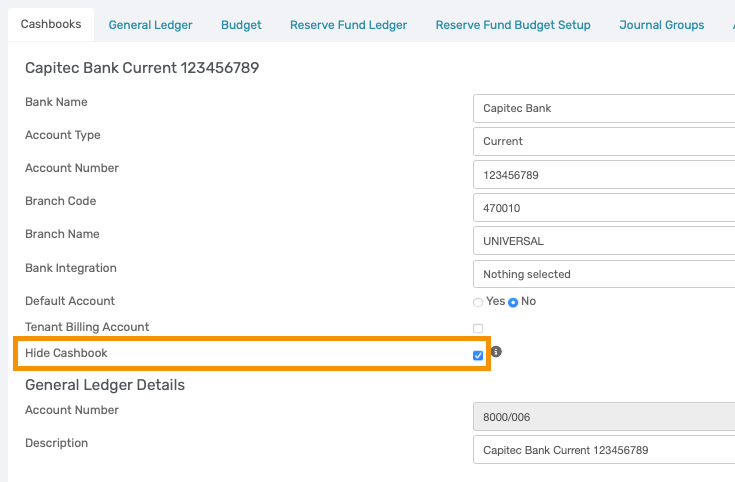
The cashbook will reflect the word (Hidden). These Cashbooks are hidden from the Dashboard total and the Cashbook dropdown list when uploading Cashbooks.

Was this article helpful?
That’s Great!
Thank you for your feedback
Sorry! We couldn't be helpful
Thank you for your feedback
Feedback sent
We appreciate your effort and will try to fix the article