This guide provides Property Management Agencies with step-by-step instructions on how to send a password reset link to Owners and Trustees, enabling them to create or update their password for access to the Owner and Trustee Portal.
1. Reset Password
Navigation: Community Level > Settings > Users
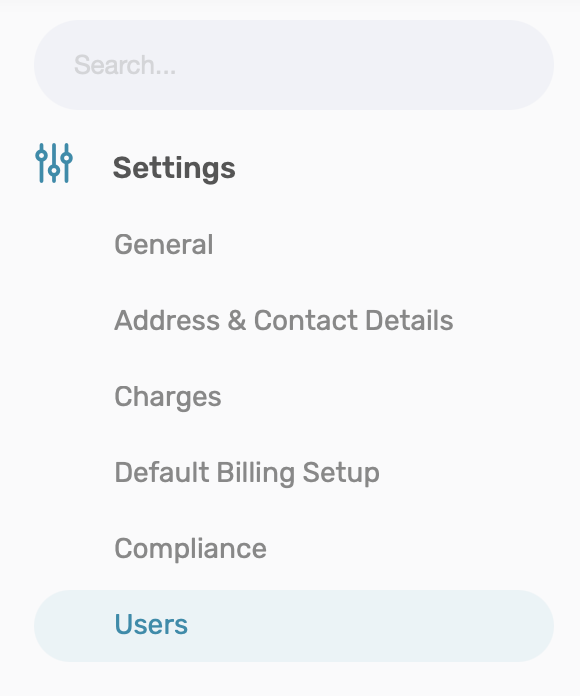
Find the applicable owner or Director/Trustee and click on Menu Options (Three horizontal lines). From the menu options, click on Reset Password.

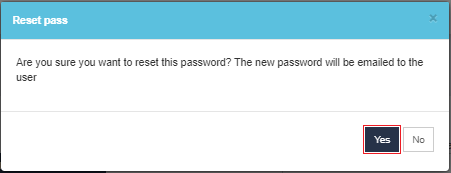
A Pop-up screen will appear requesting confirmation that a Reset Password needs to be sent. Click on Yes to send the steps of resetting a password to the relevant users.
The Owner or Director/Trustee should simply follow the steps to Reset a Password.
Resources: | ||
| CMS - How to Reset Password - Owner's Guide | ||
| CMS - How to Login: An Owner's Guide | ||
CMS - How to Reset Password - Trustee Guide | ||
CMS - How to Login: A Trustee Guide | ||
Was this article helpful?
That’s Great!
Thank you for your feedback
Sorry! We couldn't be helpful
Thank you for your feedback
Feedback sent
We appreciate your effort and will try to fix the article