1. Participants
Navigation: Meeting > Participation
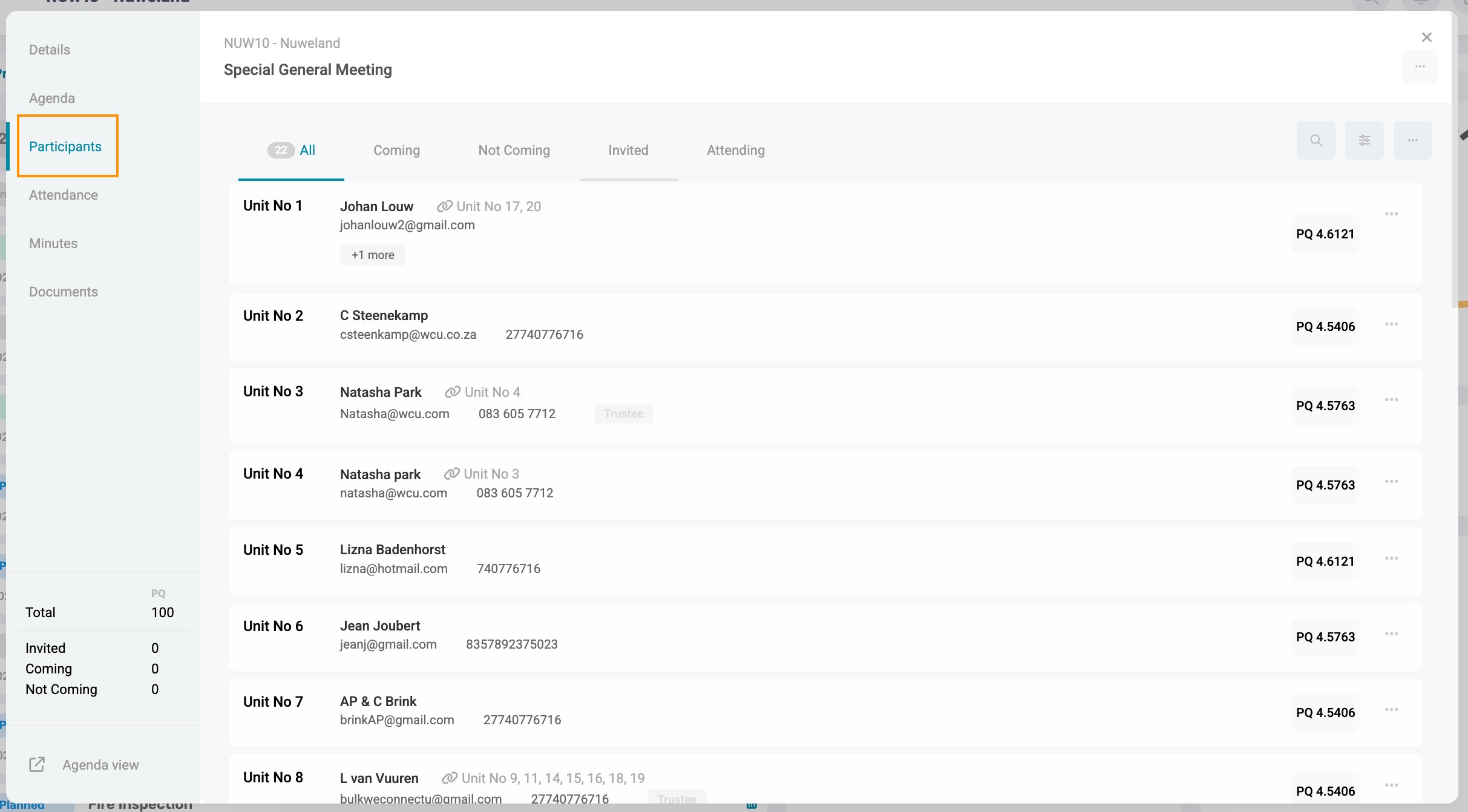
1.1. Second Owners
If a unit has two owners, both owners will pull through as participants in the meeting. Co-owners do have voting rights and will therefore be able to vote on behalf of the units they are associated with. If both owners of a unit are present and attempt to vote, the last vote cast will be counted towards the poll results.
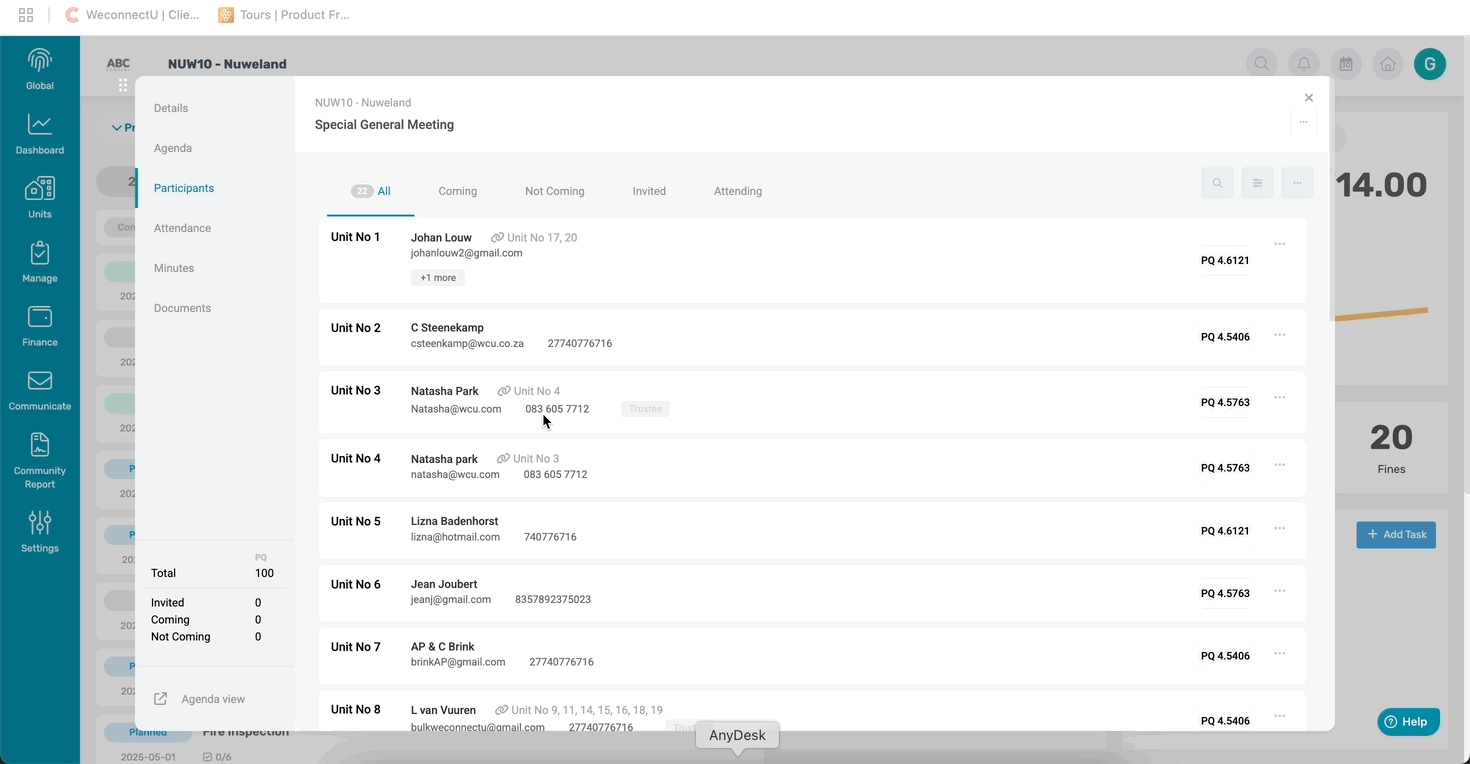
1.2. Adding External Participants
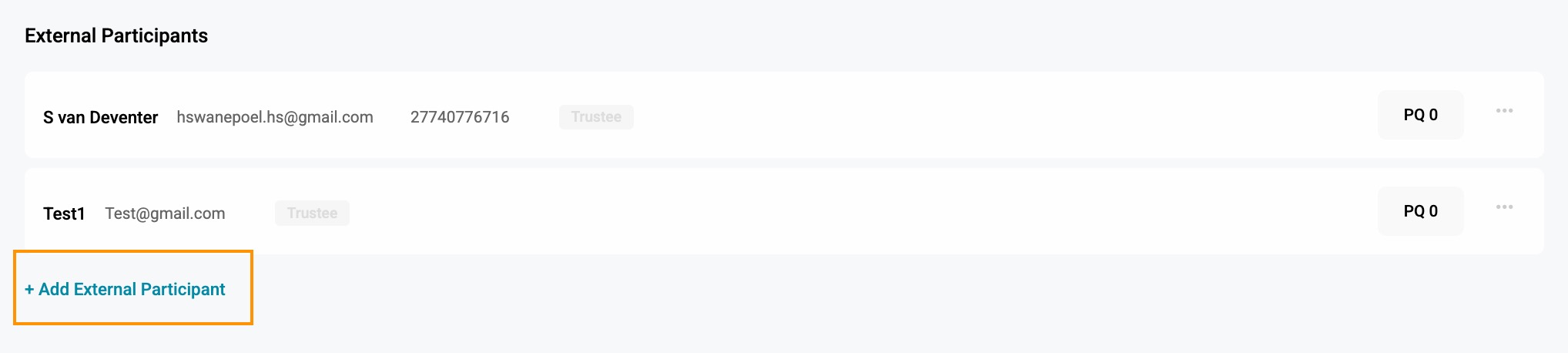
On the Participant page, scroll down and click on the Add External Participant button.
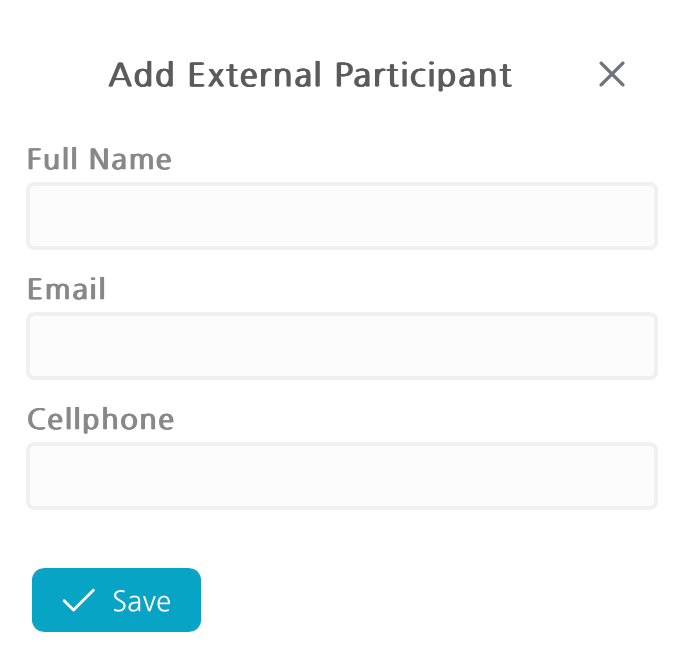
Complete the external participant's details in the pop-up window.
Note: Should any participant details pull through incorrectly, please navigate to the unit details page and correct the customer and owner details before sending out the invitation. |
2. Assigning Proxy
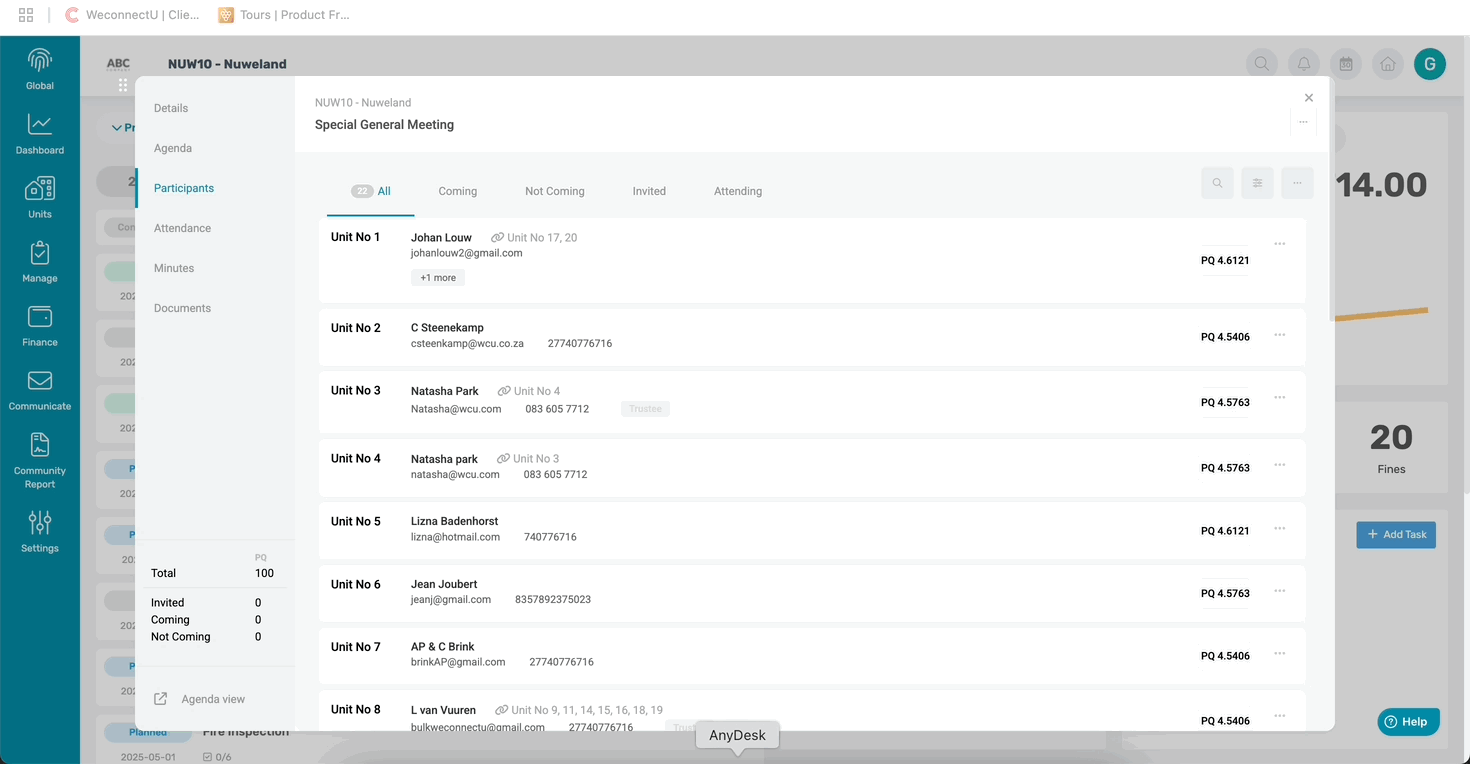
Once the PM receives the Proxy forms, it can be done immediately under the participant page.
Navigation: Meetings > Participants > Menu Option > Assign Proxy
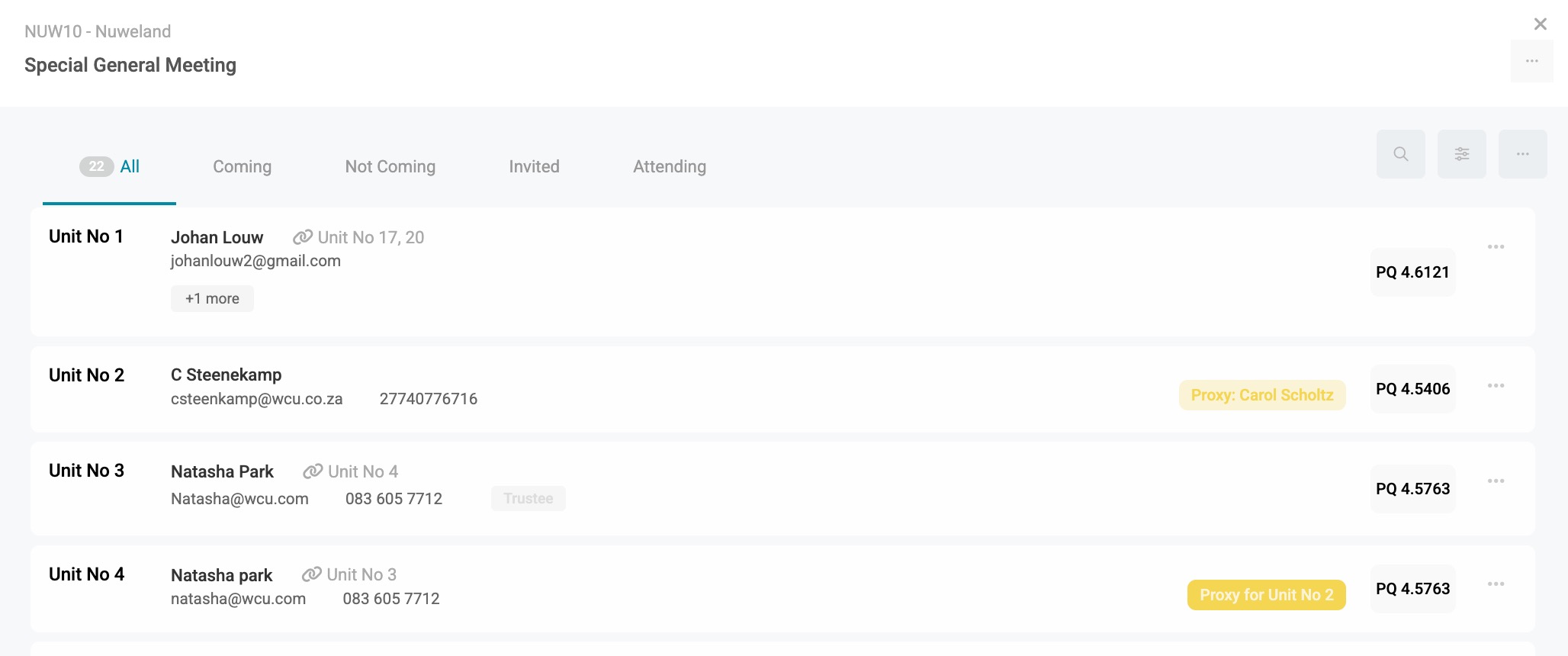
If a proxy has been assigned, it will indicate in Yellow from and to which proxy.
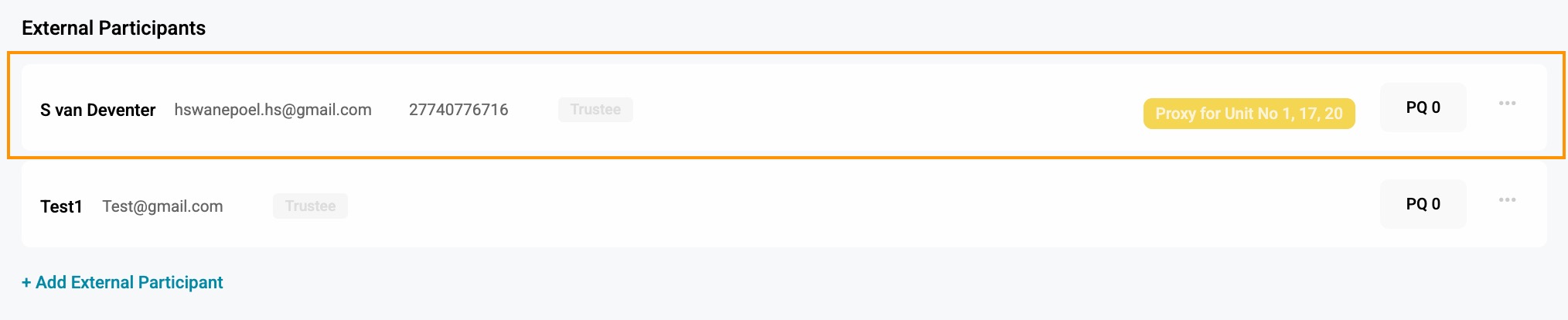
If an external participant is assigned a proxy, add the External Participant and assign the proxy to them. A yellow dot will show that a proxy has been assigned.
2. Removing Voting Rights
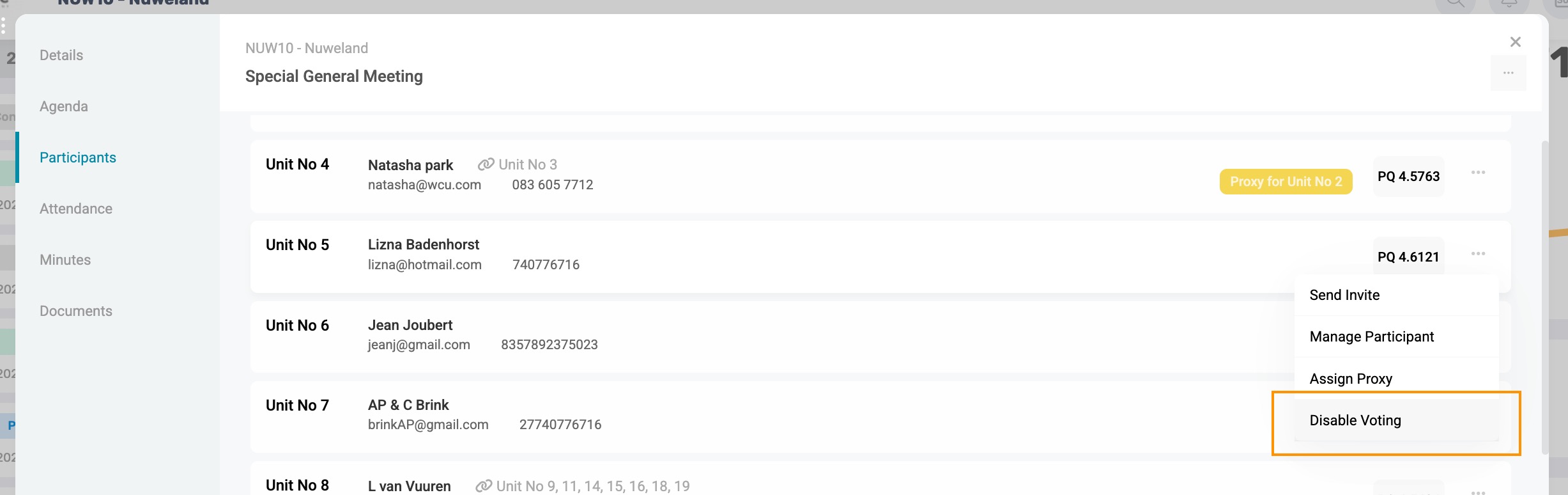
Navigation: Meetings > Participants > Menu Options > Disable Voting
Owners handed over may not vote, so the system allows for to removal of voting rights. The owner can participate in the meetings but will not have the permission to vote.
Disable voting is disabled based on the unit; thus, if a single owner owns multiple units, and all their units should not be able to vote, all relevant units should be marked as disabled.
This will be indicated with indicated in red next to the owner's name.

| Resources: | ||
| CMS - Meetings: Participants & Proxies |
Was this article helpful?
That’s Great!
Thank you for your feedback
Sorry! We couldn't be helpful
Thank you for your feedback
Feedback sent
We appreciate your effort and will try to fix the article