1. Sending out the Invitation
Navigation: Meetings > Participants > Menu Options > Send Invites
To send out the Meeting Invitation and circulate the agenda pack, send out the invitations.
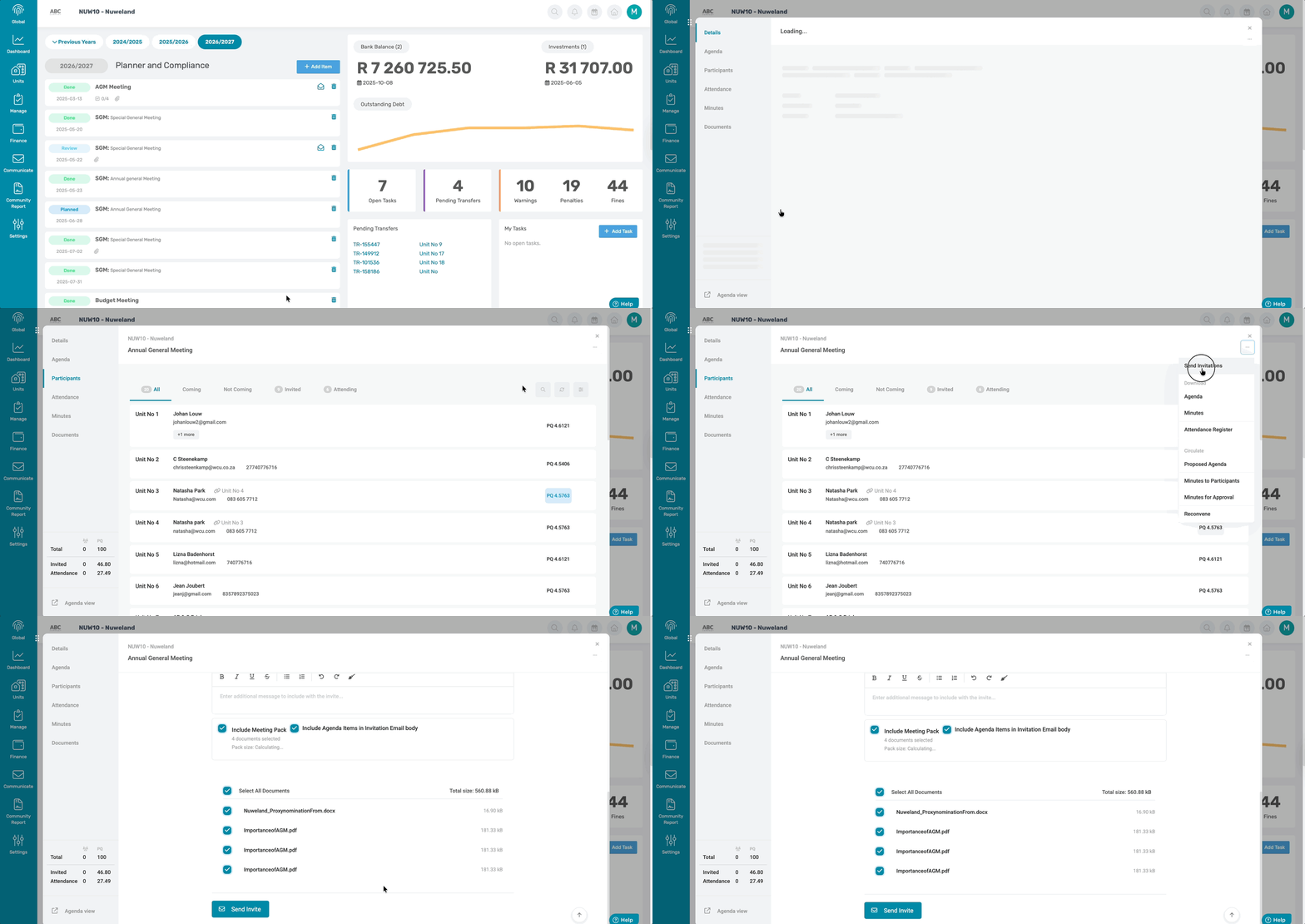
A pop-up window will appear showing how many participants will receive the invitation. There is an option to include SMS. On the same pop-up, add a short message and attach additional documents that will be sent out with the Meeting Invitation.
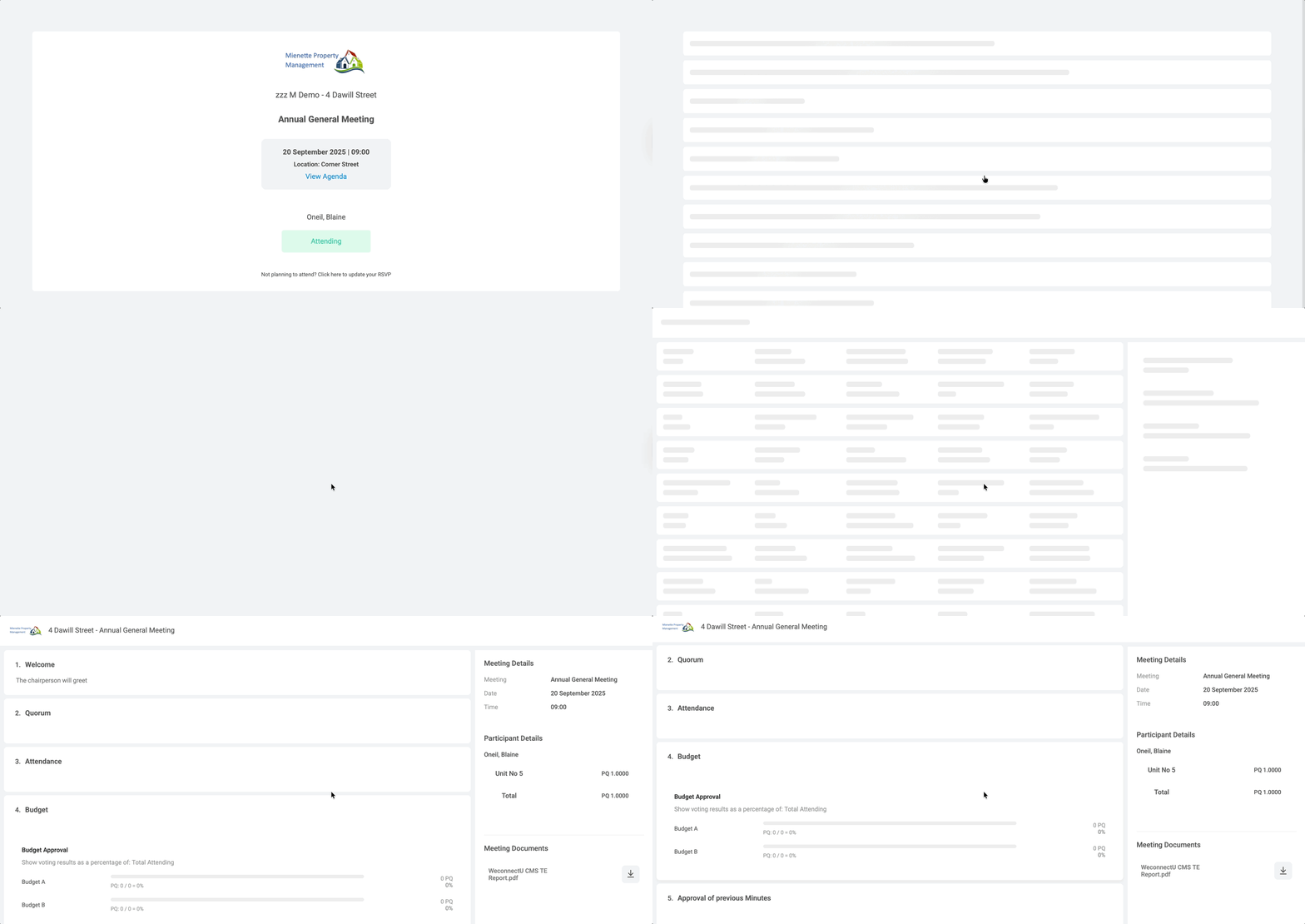
An example of how the Invitation will look is as follows, with all agenda attachments if PDF stitched in one PDF document, which forms part of the AGM Pack, as well as the additional support documents.

An example of how the agenda will look is as follows, with all agenda attachments as well as the additional support document.
| Resources: | ||
| CMS - Meetings: How to Send Invitations |
Was this article helpful?
That’s Great!
Thank you for your feedback
Sorry! We couldn't be helpful
Thank you for your feedback
Feedback sent
We appreciate your effort and will try to fix the article