When an Owner requests a Payment Arrangement after receiving an arrears letter, the managing agent can record and apply the Payment Arrangement status directly to the owner's account.
Apply Status
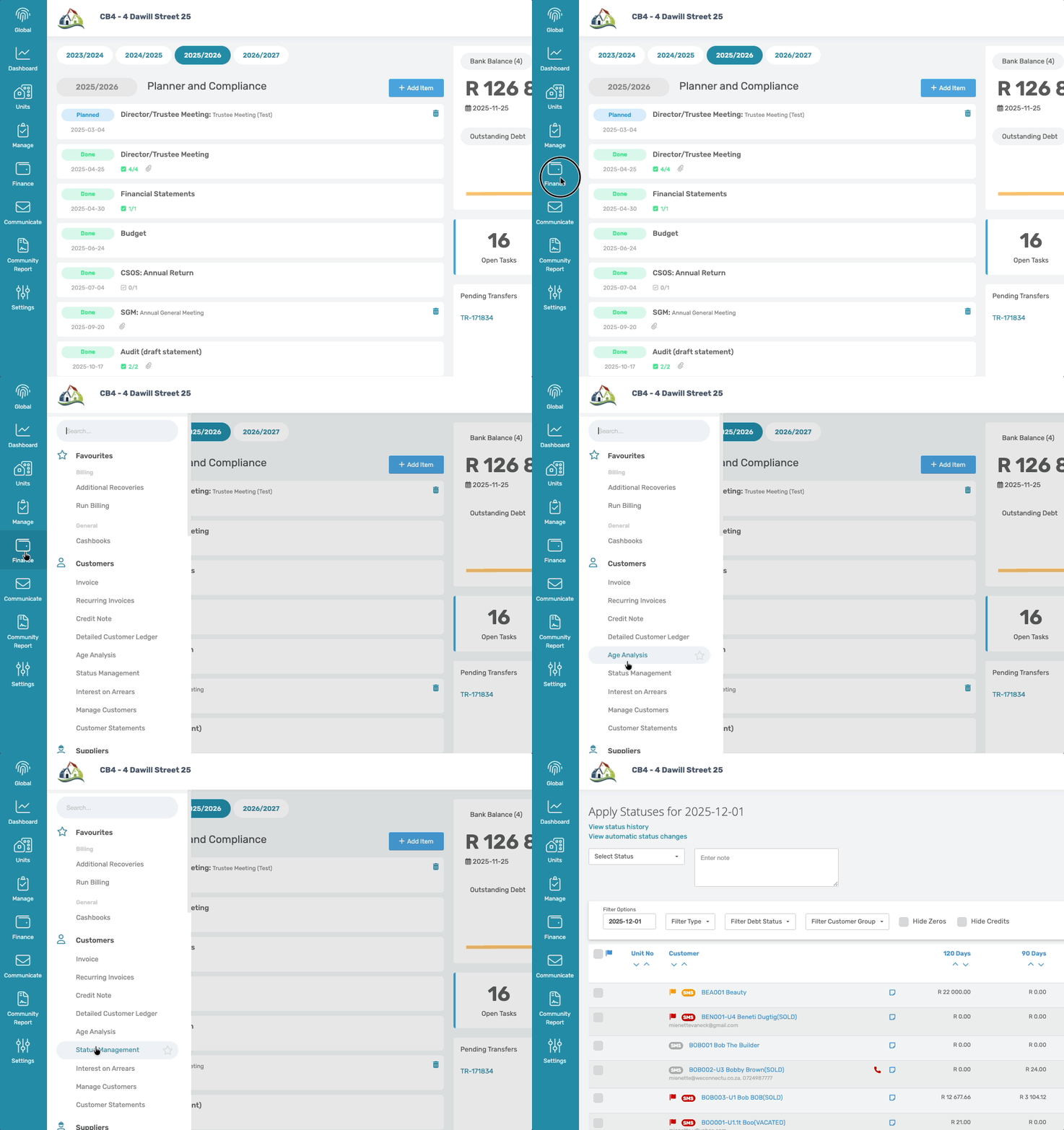
Navigation: Community > Finance > Status Management
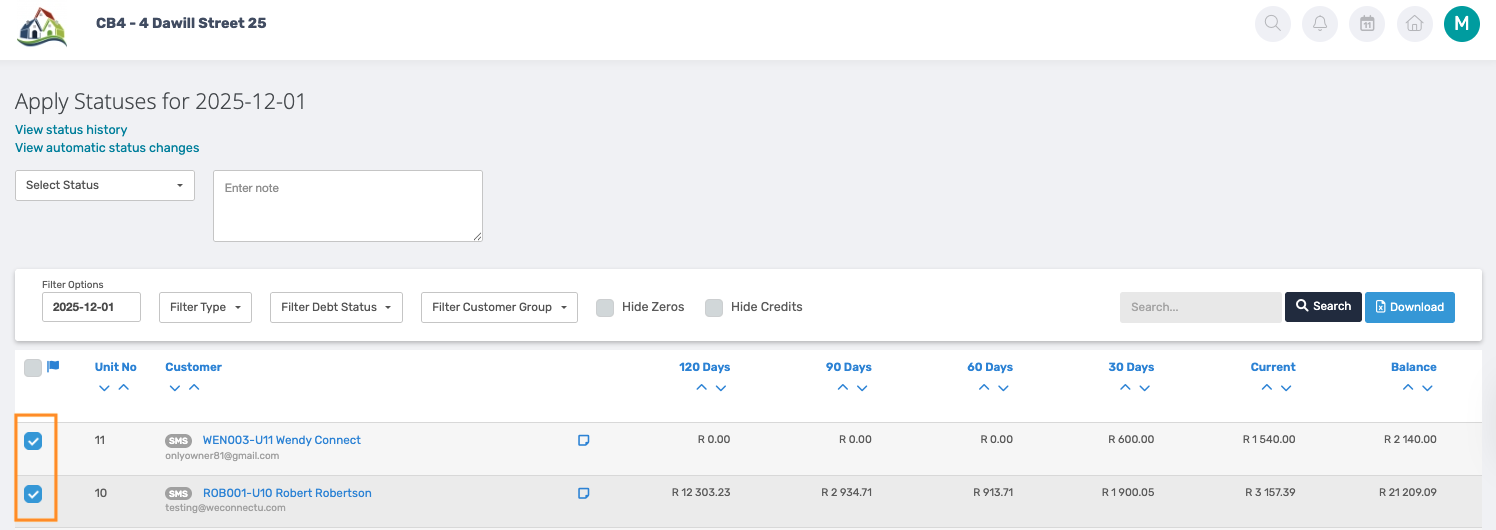
On Status Management, select the account of the owner who requested the payment arrangement by ticking the box in front of the Unit no.
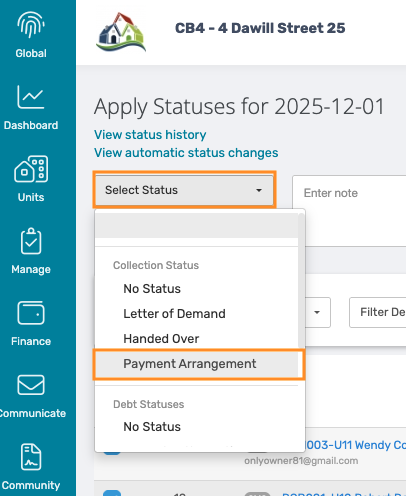
At the top of the page, open the Select Status dropdown and choose Payment Arrangement.
Scroll to the bottom of the page and click Apply Status.

Uploading the AOD
It is important to upload the Acknowledgement of Debt (AOD) as a Customer note.
To do this, click the note icon next to the owner's account and upload the document.

A note can also be added when uploading the AOD attachment.
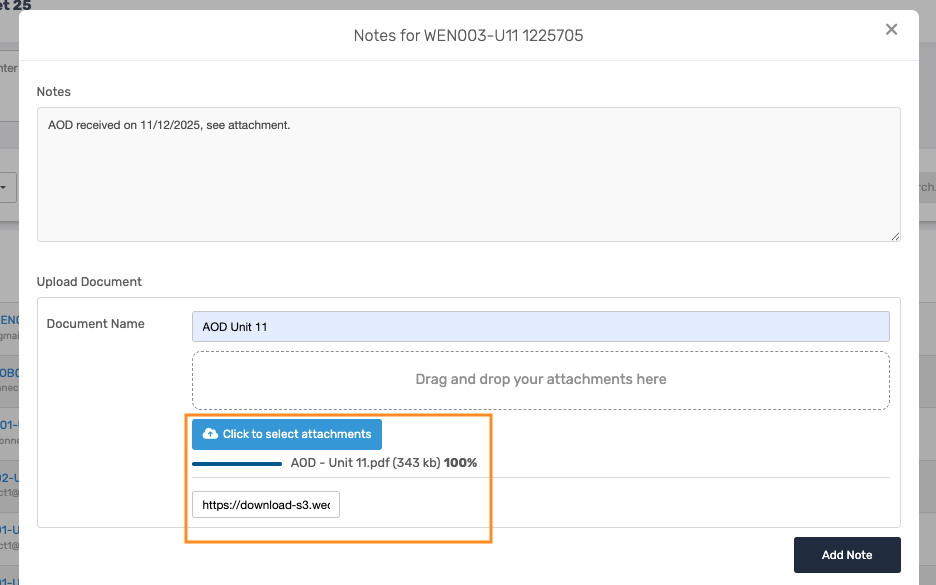
Once added, click on Add Note.
Status Indicator
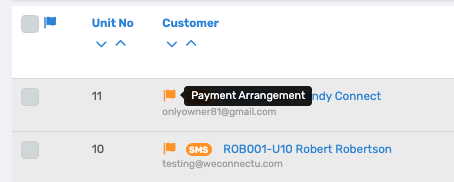
A Payment Arrangement status is represented by an orange flag on the owner's account.
Was this article helpful?
That’s Great!
Thank you for your feedback
Sorry! We couldn't be helpful
Thank you for your feedback
Feedback sent
We appreciate your effort and will try to fix the article