The WeconnectU Solution provides a CSOS Report in the format that is required by the Community Schemes Ombuds Services.
Global CSOS Report
Navigation: Global Overview > Finance > Run Billing
On the Run Billing Landing page, click on the three-dot menu option on the far right, and select CSOS Report.

In the pop-up window select the date range to be exported, and then choose All Communities, or select only the specific communities required for the report.
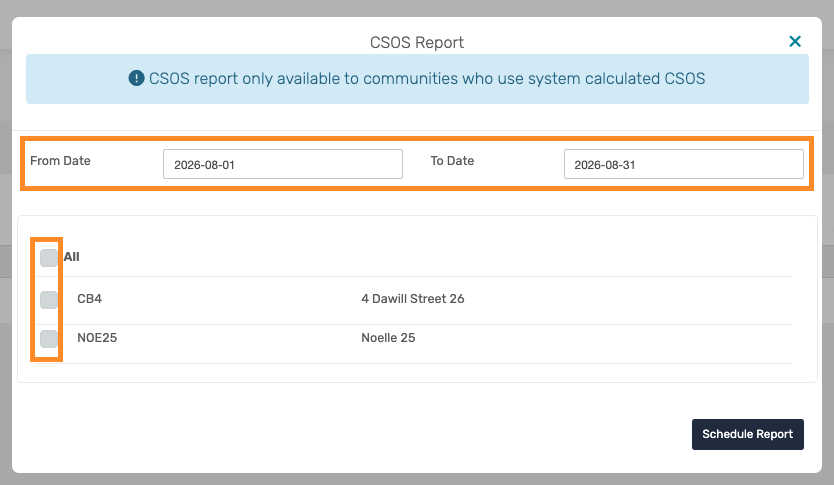
Once selected, click on Schedule Report. The report will then be generated and sent via email to the user who scheduled the report.
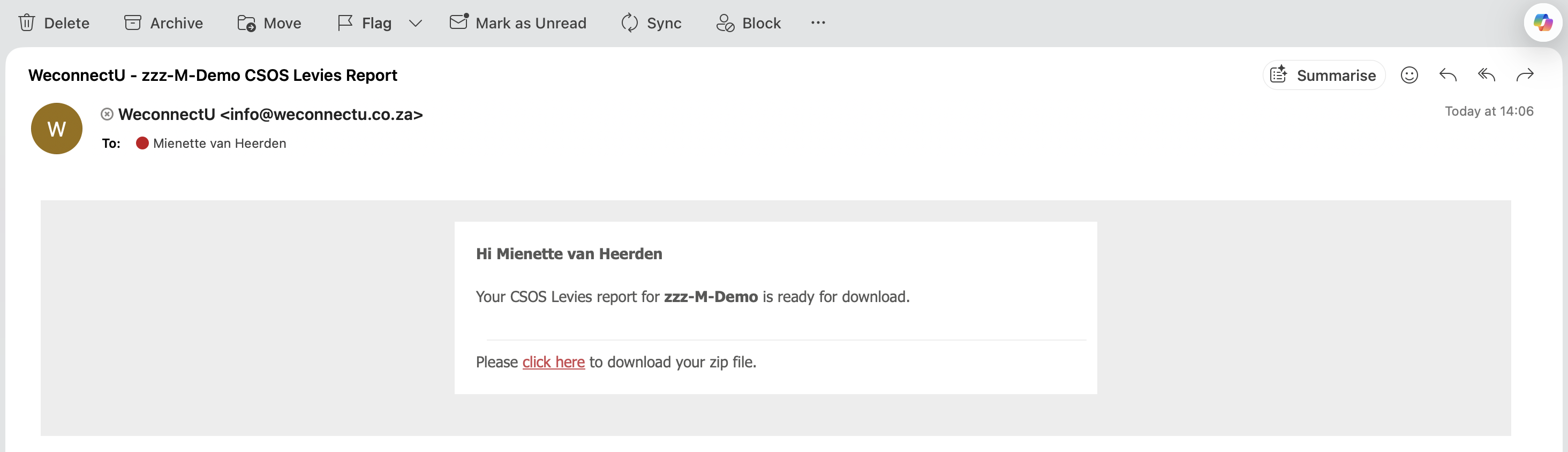
In the email received from the Solution, Click Here to download the report in Excel.
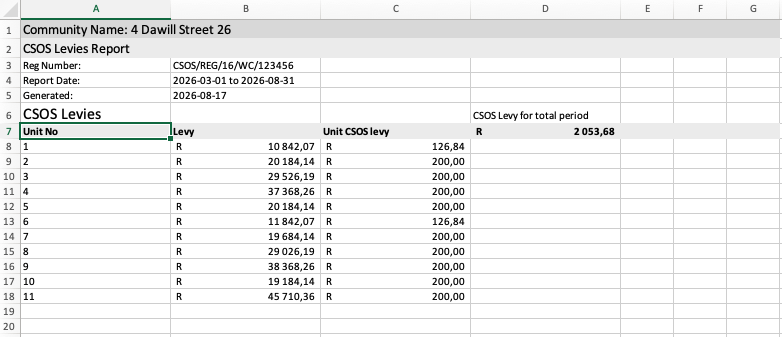
For each Community, there will be an Excel Report that looks as follow.
Important: The CSOS Report is only available to Communities who use system calculated CSOS. |
Was this article helpful?
That’s Great!
Thank you for your feedback
Sorry! We couldn't be helpful
Thank you for your feedback
Feedback sent
We appreciate your effort and will try to fix the article