In WeconnectU, a surplus reflects funds that remain after all expenses for a financial period have been accounted for. The Solution automatically calculates the surplus/ deficit based on income received and expenses processed within the selected period.
How the Solution Calculates Surplus/ Deficit
The Surplus/ Deficit is calculated by comparing total income and total expenses::
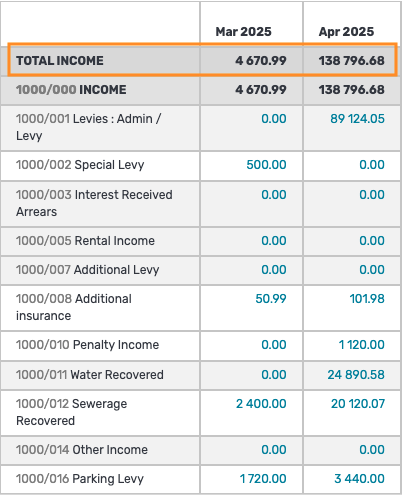
- Total Income:
- Levies and contributions raised
- Interest earned
- Any other Income recorded for the period
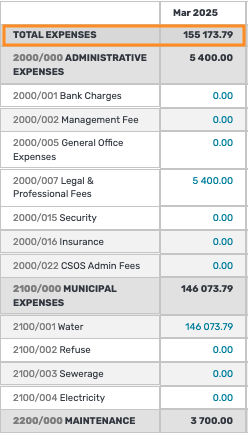
- Total Expenses:
- Supplier Invoices
- Recurring Supplier invoices
- Journals posted to expense accounts
Formula used: Surplus/ Deficit = Total Income - Total Expense |
What the result means
If the income is more than the expenses, the result is a surplus.
If the expense is more than the income, the result is a deficit.
What happens to Surplus
For Community Schemes, the annual surplus is typically transferred to Retained Income in the equity section of the balance sheet after the financial year is closed.
Where to see the Surplus/ Deficit
- Community Report
- Trial Balance
- Actual vs Budget
Was this article helpful?
That’s Great!
Thank you for your feedback
Sorry! We couldn't be helpful
Thank you for your feedback
Feedback sent
We appreciate your effort and will try to fix the article