TABLE OF CONTENTS |
1. Add Demo Community
Navigation: Global Overview > Communities
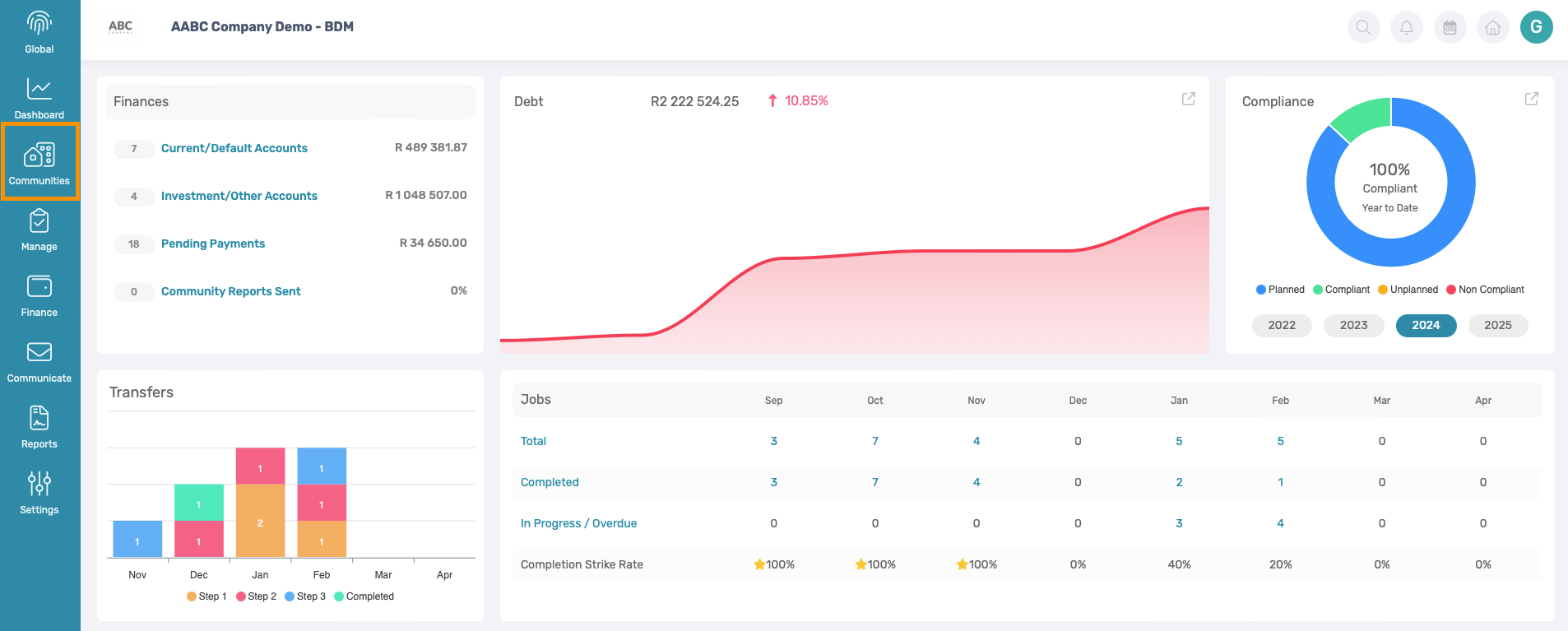
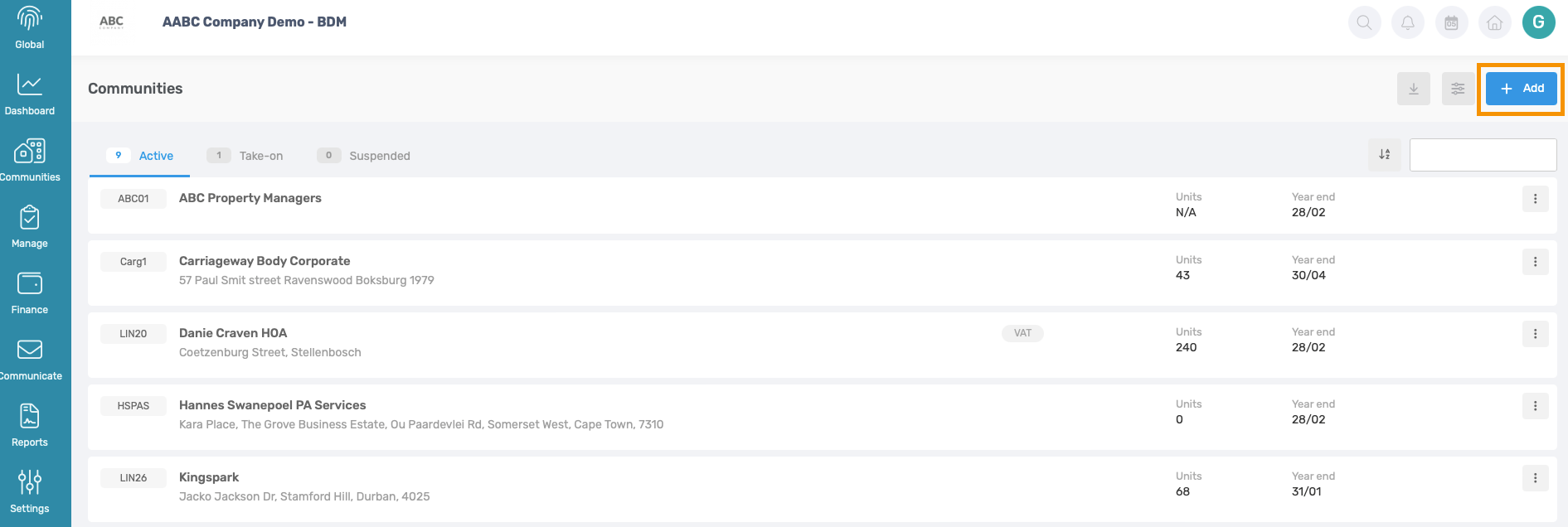
To add a new community to the Property Managing Agency click on Add New
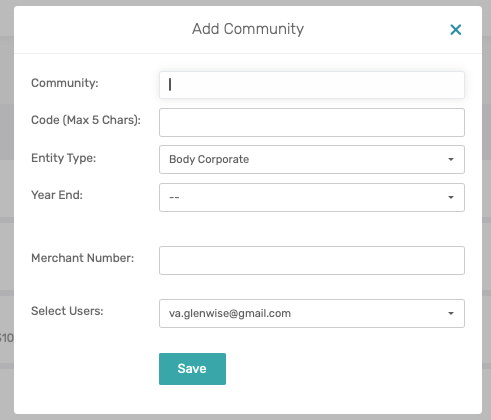
- Add ZZ infront of the Demo Community Name
- Add the Community Code - this code should be unique and will be used to differentiate communities.
- Add Year End month.
- Tick all applicable users that should have access to the Scheme under the ‘Select Users’ dropdown menu.
- Click on Save
All of these fields can be edited afterwards.
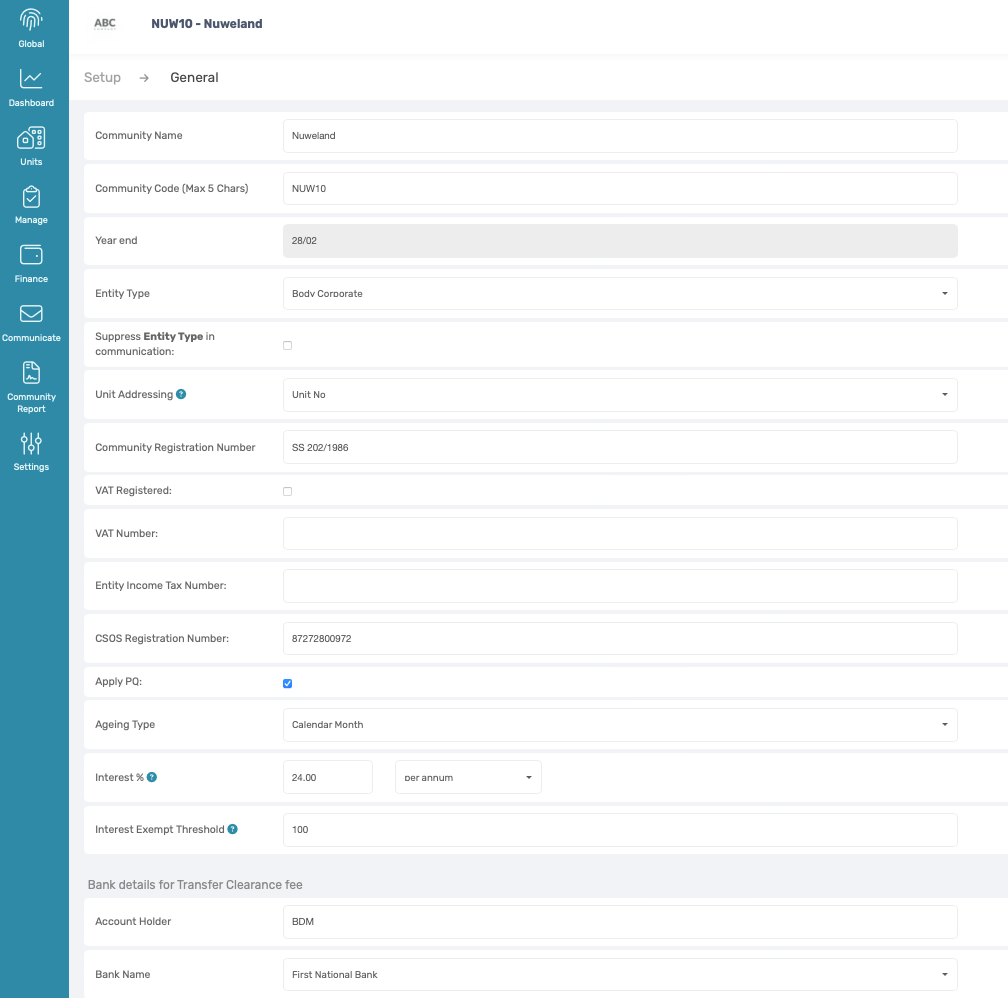
2. Complete Community Details
Navigation: You will automatically be redirected to this page.
- Complete as many of the fields as possible – All of these fields can be edited afterwards.
- Select the Unit Addressing
- Tick ‘Apply PQ’ if the community is a Body Corporate and if HOA or any other type of entity leave it blank.
- Insert Interest %
- Insert Interest Exemption Threshold (the interest exemption threshold indicates the amount on which interest will not be charged)
- Amend banking details should the levy clearance bank account differ from the banking details on the Global Management Dashboard under company details.
- Click on Save.
3. Take-On Page
Navigation: Click on the Orange Take-on Page button top right
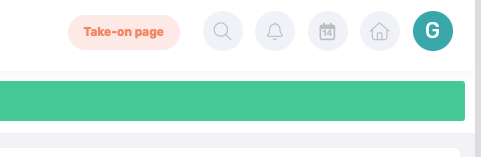
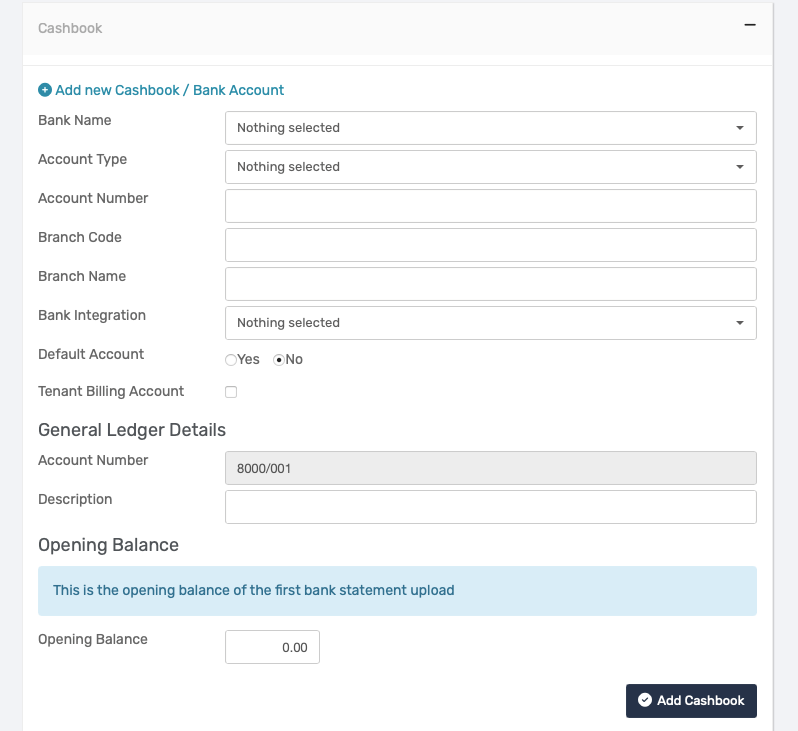
Here only the following needs to be completed on the take-on:
- Under Cashbook, complete the banking details. Can use invalid banking details.
Note: In the note section on the Take-on page, only enter the following, 'This is my demo building'. 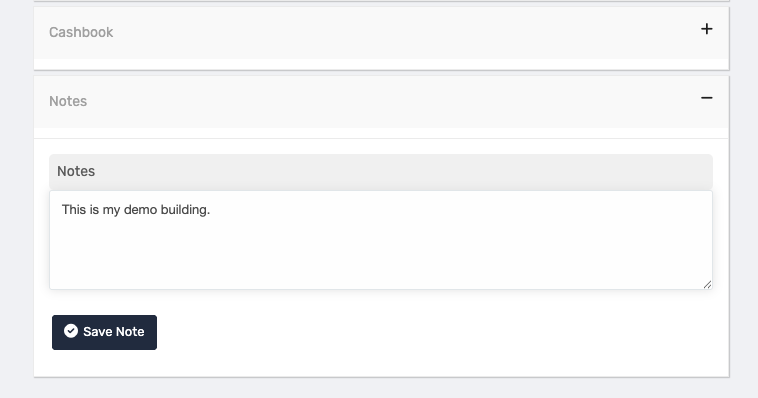 |
To ensure that this Demo Building remains free of charge, the following Clauses are important: 1. No documentation is uploaded or provided on Take-on 2. Up to 10 Units are free of charge. If the number of units exceeds 10 Units, there will be a charge 3. The Demo Community name must have the 'ZZ' infront |
4. Confirm Take-On
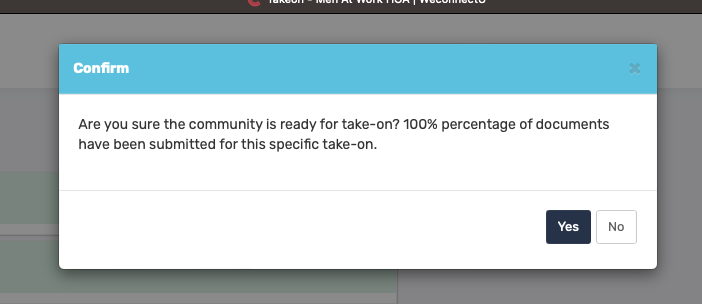
Note: If there is already a suspended Demo Building on the profile, please send an email to support@weconnectu.co.za to activate the Suspended Demo Building. |
Was this article helpful?
That’s Great!
Thank you for your feedback
Sorry! We couldn't be helpful
Thank you for your feedback
Feedback sent
We appreciate your effort and will try to fix the article