The Batch Editing function allows users to make changes in bulk across all communities within a profile, saving time and eliminating the need to update each community individually. This functionality can be used to update items such as Community Roles, Interest %, Admin fees, Unit Addressing, etc.
Batch Editing
Navigation: Global Overview > Communities > Menu option

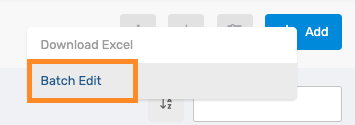
From the Menu option, select Batch Edit.
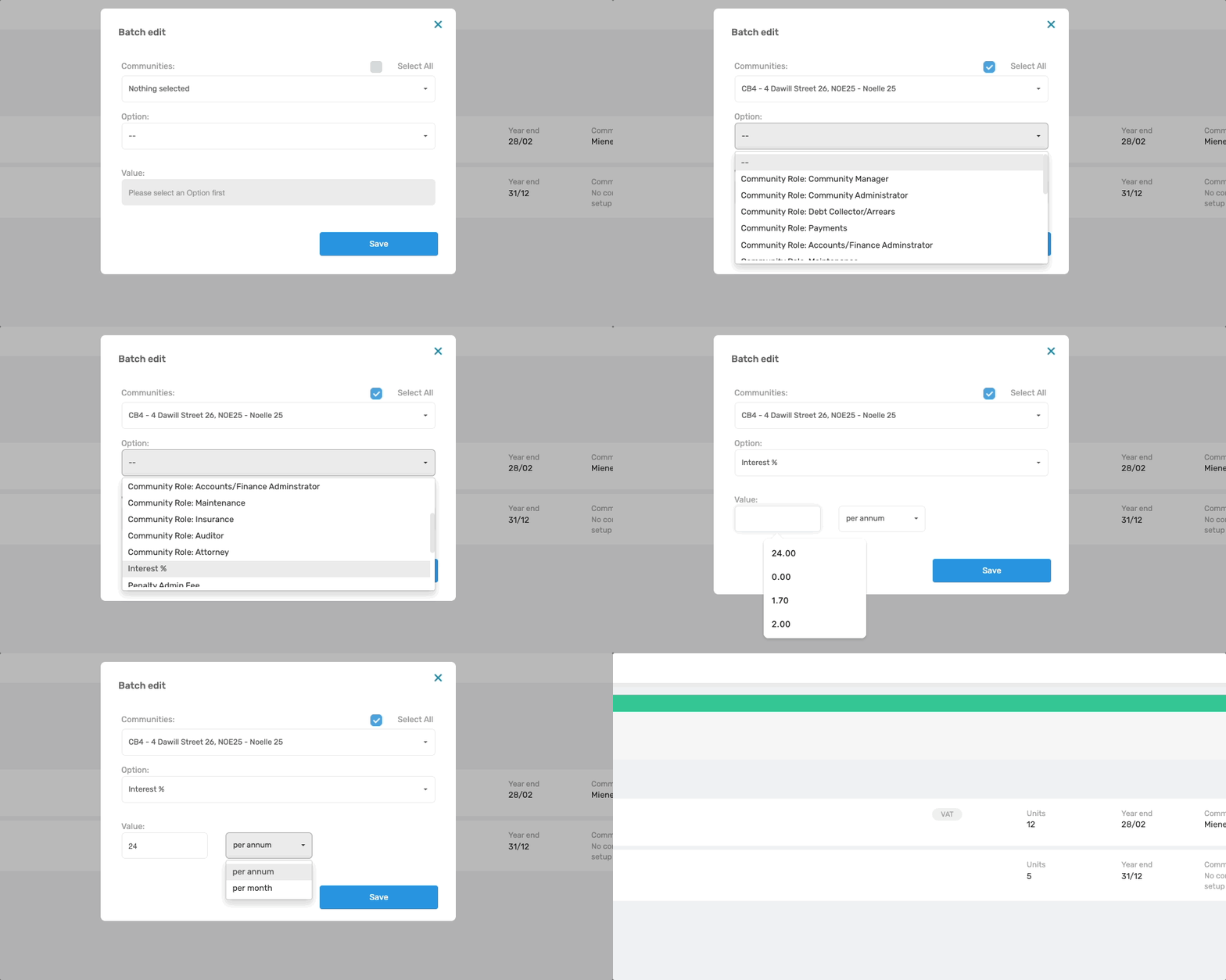
In the pop-up window, select All to apply the changes to all Communities on the Profile. Alternatively, use the drop-down menu to select only the specific communities to update.
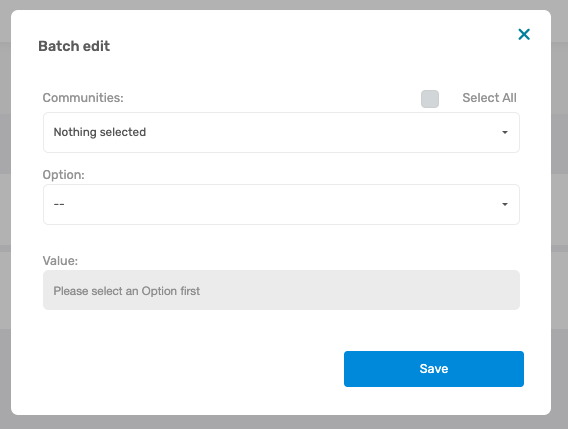
Next, select the required option from the second drop-down menu to choose which information should be updated in bulk. The following batch edits are available:
- Community Roles: Configure which user is assigned to each role within the communities.
- Interest %: Set the interest percentage charged on outstanding arrears.
- Penalty Admin Fee: Set the email fee charged when sending a Penalty Letter and Communication.
- Warning Admin Fee: Set the email fee charged when sending a Warning Letter and Communication.
- Apply Debt Collection Fee: Select whether Debt Collection fee should be applied.
- Unit Addressing: Configure how unit addressing are displayed when sending statements or other communication.
- Transfer Clearance Fee: Set the fee charged for issuing a Clearance Certificate.
- Phonecall: Configure the charge applicable to phone calls.
Lastly, enter or select the new value that should be applied to the selected Communities.
Was this article helpful?
That’s Great!
Thank you for your feedback
Sorry! We couldn't be helpful
Thank you for your feedback
Feedback sent
We appreciate your effort and will try to fix the article